
imageCLASS MF4270 Basic Operation Guide


Sending Faxes
4-30
Looking Up a Recipient
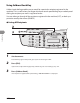
1 Set documents.
Place the first page on the platen glass if you are not using the ADF.
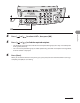
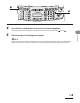
2 Press [FAX].
If you want to adjust the image quality and density, see “Scan Settings,” on p. 4-4.
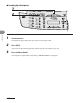
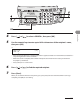
3 Press [Address Book].
If no recipient is registered for speed dialing, <NOT REGISTERED> is displayed.
●