
imageCLASS MF4270 Basic Operation Guide

4-25
Sending Faxes
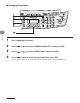
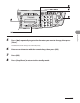
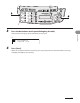
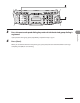
4 Enter the desired two-digit code (00 to 99) with the numeric keys.
= 0 1 2 X X X X X X X
[ * 0 1 ] C A N O N
Ex.
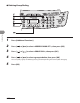
If you entered a wrong code, press [Stop/Reset], then try again from step 3.
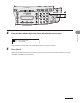
5 Press [Start].
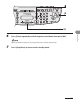
When you set the documents on the platen glass, press [Start] for each document. When scanning is
complete, press [OK] to start sending.