imageCLASS MF4270 Basic Operation Guide
Manuals
Brands
Canon Manuals
Copier
imageCLASS MF4270
111
112
113
114
115
116
117
118
119
120
4-21
Sending Faxes
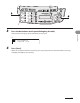
6
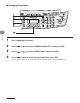
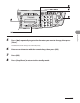
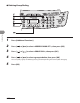
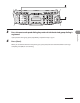
Press [
Clear] r
epeatedly until all r
ecipients are deleted
, then press [
OK].
When you delete all recipients, the registered name is cleared automatically.
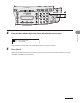
7
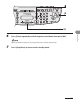
Press [St
op/Reset] to return to the standb
y mode.
1
...
...
112
113
114
115
116
...
...
248