imageCLASS MF4270 Basic Operation Guide
Manuals
Brands
Canon Manuals
Copier
imageCLASS MF4270
101
102
103
104
105
106
107
108
109
110
4-17
Sending Faxes
6
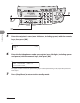
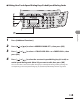
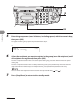
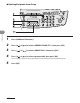
Press [
] or [
] to display the r
ecipient you w
ant to delete fr
om the group
,
then press [
Clear].
Repeat this step if you want to delete another recipient.
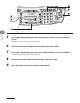
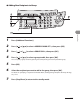
7
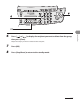
Press [
OK].
8
Press [St
op/Reset] to return to the standb
y mode.
1
...
...
108
109
110
111
112
...
...
248