
imageCLASS MF3111 Basic Guide


Improving Copied Image
5-6
Copying
5
■ Adjusting Manually
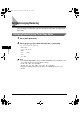
1
Press [Exposure] to select the manual mode.
2
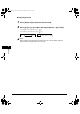
Press [ (-)] or [ (+)] to adjust the copy exposure ➞ press [Set].
For a lighter copy exposure, press [ (-)].
For a darker copy exposure, press [ (+)].
NOTE
When setting the exposure lighter, the indicator moves to the left. When setting the
exposure darker, the indicator moves to the right.
➞
EXPOSURE
-LT DK+
100% A4
TEXT/PHOTO
01
LD_Basic_US.book Page 6 Monday, January 10, 2005 1:27 PM