
User Manual

!
20
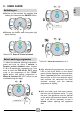
The "STAR" cycle button can be used to
start a washing cycle that can be
customised through the App. The factory
default cycle is Mixed & Coloured 59',
20°C, 1000 rpm. After pairing the product
with the App, you can edit the programme
saved in this position at any time, selecting
it from the programme list. After saving the
programme on the appliance, you can start
it directly from the dashboard, like a normal
cycle.
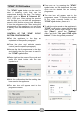
CONTROL OF THE "STAR" CYCLE
BUTTON CONFIGURATION
! Pair the appliance in the App as
explained in the specific paragraph.
! Close the door and activate remote
control (see the specific paragraph).
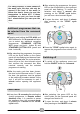
! Access the list of programmes in the App
and identify the one you want to save in
the "STAR" cycle button.
! Swipe right on the name of the cycle and
press the black button with the star
symbol on it.
! Wait for confirmation that the setting has
been sent to the appliance.
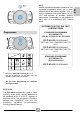
! The star icon will appear next to the
programme name.
! From now on, by pressing the "STAR"
cycle button on the dashboard, the new
cycle can be started like an ordinary
programme.
! The star icon will appear next to the
programme name. To display the details
of the cycle currently saved on the
"STAR" cycle button, press on it.
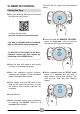
! To edit the cycle saved on the appliance’s
"STAR" cycle button, press the three-dot
menu in the bottom right section of the
App ("More"), select the "Settings"
menu and then "Set your STAR cycle
button". Follow the guided procedure.
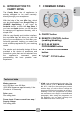
"STAR" CYCLE button