
User Guide



66 – BuzzEdit
™
| Copyright © 2000 Buzz Tools
®
, Inc.
Multi-hoop designs are comprised of
multiple pieces, which are usually saved in
different files. By moving and possibly
rotating the fabric at the sewing machine
between sewing the different pieces, it is
possible to create a design larger than the
default hoop size.
Normally you use a special hoop that is
designed to sew multi-hoop designs. When
you are using one of these specialty hoops,
the fabric is set into the multi-hoop one time.
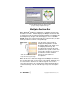
This multi-hoop design has
two overlapping sections.
The large hoop is mounted on the embroidery arm in any number of
positions in order to sew on different areas of the fabric. Usually the
design fields have significant overlap, but together they cover a
much larger area of the fabric than you could reach with a
conventional single position hoop.
The Janome 5 hoop is a
multiple-position hoop frame
Multiple-position hoops are made by
many sewing machine manufacturers
and by other companies such as the
Hoop-it-All
™
corporation, which makes
the Giant Hoop-it-All
™
line. For more
information on the common types of
multiple-position hoops and their usage,
please refer to Appendix C on page 167.
In the absence of a special hoop, you can still use BuzzEdit
™
to
create a multi-hoop design, but you will have to re-hoop the fabric
for each hoop section.
When you create a multi-hoop design that uses a BuzzEdit
™
manager file, each hoop section is saved as an individual file.
BuzzEdit
™
uses the same naming convention as it does with other
multiple-file designs.