
User Guide



62 – BuzzEdit
™
| Copyright © 2000 Buzz Tools
®
, Inc.
The Open Multiple-File Design dialog box helps
you open existing multiple-file designs.
Multiple-Section Bar
When BuzzEdit
™
displays a multiple-file or a multiple-hoop design,
the Stitches-in-Time
™
window displays the Multiple-Section bar that
is designed to help you understand and manipulate your multiple-file
and multiple-hoop designs. This bar displays a series of section
breaks. Each new section break marks the location in time (or stitch
number) at which a new file or hoop will begin.
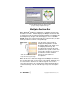
Marks the individual files and/or
hoops that make up your design.
The file name of the new file is
displayed along with the Section
Break flag. When your design is for
a multiple-position hoop, the
description also includes the hoop
position for the specific section. You
may need to zoom in on an area of
the Stitches-in-Time
™
window
before you can read these
descriptions.
When the mouse is clicked or dragged on the Multiple-Section bar,
the selection will “snap” to the nearest section break, making it easy
to select all of the stitches in an entire design file. You can also
select all of the stitches in a design file by double-clicking between
section break flags. You can click directly on top of the descriptive
text.