
User guide

20
Freeway [A6] ~ Issue 1 ~ Edition 5 ~ 31st March ’03 – 5023
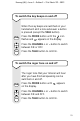
To adjust the volume of incoming calls
and FM radio reception
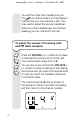
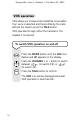
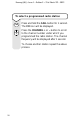
Press the VOLUME + or – button to increase
or decrease the volume of incoming calls.
The volume levels range from 1-8.
You can also press and hold the VOLUME +
or – button to keep increasing or decreasing
the volume until you reach the required level
or until you reach the handset’s maximum
or minimum level.
The volume level (1-8) will be shown on
the display for about 3 seconds, the display
will then return to the channel number.
V
o
l
V
o
l
V
o
l
V
o
l
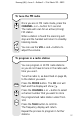
You will then hear them speaking to you.
The icon will be shown on the display to
indicate that you are receiving a call. (You
may need to adjust the volume, see below).
When the other handset user has finished
speaking you can respond to the call.