
Specifications


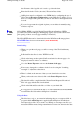




is destroyed.
Run the
oziUnGzip
program and select the file (or files) you want to extract,
they will be extracted to the same folder as the compressed file.
Note
-
You
must use version 1.1 of the oziUnGzip program (the version is in the program
caption
-
version 1.0 does not display a version number).
The DTED data contains many files that are not required by OziExplorer so
these are automatically deleted. Only the .dt0 files are kept (or dt1 or dt2).
If you no longer want the original .zip or .tar file then you can delete it
manually using windows explorer.
The uncompressed DTED data files must be placed in the
NIMA DTED
path
that you have configured OziExplorer to point to in
Elevation Configuration
(see the Help file for details). If you have not configured the NIMA DTED
path then you must do that before the height data will be used. If your
OziExplorer does not have a NIMA DTED path then you need to download a
later version.
Note
-
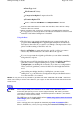
The DTED data is stored in numerous folders, a separate folder for
each 1 degree of longitude. Within each folder numerous .dt0 files are placed,
1 file for each 1 degree of latitude. The files must be left in this structure. The
folders must be directly attached to the
NIMA DTED
path you configured in
Elevation Configuration, if not they will not be found.
Caution
-
The data will be extraced into a new folder called
dted
(its part of
the path stored with each file in the zip) so be aware that you may end up with
path which ends with /dted/dted, if this happens make sure the DTED path in
Elevation Configuration includes both the names (example
C:\OziExplorer\Elevation Data\dted\dted)
After adding new height data files to OziExplorer you must restart
OziExplorer or go into Elevation Configuration and press the
Save
button to
force the new files to be scanned.
Level 1 and level 2 Data
The data available to the public is called Level 0 and has a 30 arc second spacing.
Other higher resolution data called Level 1 and Level 2 is not available to public but
can be used in OziExplorer if you have it by making sure the DTED path name ends
in a 1 or a 2 ( example \dted1 ) depending on the level you are using. OziExplorer
uses the last character in the path name to determine the files to search for ( .dt1
or .dt2 ). Note the use of Level 0 data does not require a special folder name.
GTOPO30 GTOPO30 is a global digital elevation model (DEM) with a horizontal grid spacing
of 30 arc seconds (approximately 1 kilometer).
The Gtopo30 data can be downloaded from here
GTOPO30 DEM Data
for most of
the World. (Free download)
Downloading
Page
237
of
252
OziExplorer Help Contents