
Specifications





Introduction
You can use the moving map feature of OziExplorer to simply display your actual position on a map
as you move.
You can use the Navigation feature to help you navigate to a waypoint or along a route composed of
waypoints.
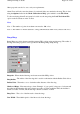
Navigating Along a Route or to a Specific Waypoint
You must load a set of waypoints and a set of routes (if navigating along a route) before you can
select a navigation option. Select
Navigate To ....
. on the Navigation menu. Select either
Along a
Route
or
Waypoint From a List
. Select either the Route or Waypoint, the route can be reversed by
selecting the
Reverse Route
checkbox. If you selected a route the route will be displayed on screen
with details of each leg (if relevant configuration option set). Navigation assistance will start as soon
as you are receiving a position from the GPS (or simulator). The Navigation Control shows the
information you need to navigate to the 1st waypoint.
The Navigation tab in OziExplorer Configuration has settings which affect navigation, you must set
these to your requirements.
The software determines if you have reached a waypoint by
Entering the Route Wp proximity zone (set in configuration)
Going past the waypoint (a line perpendicular to the leg direction).
If either of these 2 events occur you are deemed to have reached the waypoint and navigation along
the next leg of the route will be commenced.
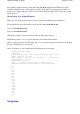
If you have a route but don't want to start at the 1st waypoint you can select which waypoint in a
route to navigate to 1st by selecting the
Show Details of Active Route
button which is on the
Moving Map Control
. Select a Waypoint and press the
Navigate To
button.
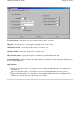
AIS Configuration
Automatic Identification of Ships
All ships above a certain size are required to broadcast their position.
By using an AIS receiver the positions and types of ships can be plotted on the loaded map.
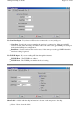
AIS data can be supplied on the same com port as the GPS NMEA data or on a separate com port. If
AIS is marked as Active (in AIS configuration) then it is automatically started when Moving Map is
started. A button for the AIS control can be manually added to the User Toolbar. For my testing I
have been using the Nasa Marine AIS Engine.
Page
155
of
252
OziExplorer Help Contents