
Specifications





Plot Location
-
Plots the location of the place on the currently loaded map. If the place is not
located on the map it automatically searches for other maps.
Find Maps
-
Searches for other maps the place may be located on. Searching uses OziExplorers
standard methods. It either searches for maps in the "Map File Path" set in configuration or the path
of the currently loaded map depending on the settings in OziExplorer.
Plot Locations as Points
-
Plots the location of all the positions on the map as "Points".
Create Waypoint
- Creates a waypoint at the current selected location.
Help
-
Shows this help.
Close
-
Closes the Name Search dialog.
Other
When entering text into the "Name to Find" field searching automatically commences 1.5 seconds
after you typed the last character.
The column widths in the list can be adjusted by dragging on the column boundary, the column
width setting will be stored.
The datum of the positions in the .names file defaults to "WGS 84".
If a different datum is needed one of the lines of the .types file will contain the datum name, an
example is below.
DATUM,Australian Geodetic 1966
Advanced Name Search
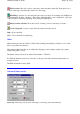
Lat, Long
-
Enter the position, click on the map to enter the position automatically.
Page
136
of
252
OziExplorer Help Contents