
Printer User's Guide


108.htm
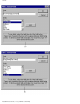
Circle Holidays
Click this option to select whether (
) or not ( ) to circle the holidays in the calendar.
Click this button to close the Calendar Settings dialog box and apply the selected settings.
Text Orientation
Select the orientation of the date or time object.
●
●
Click this button to insert the selected date, time, or calendar at the cursor's current position in the layout.
● [Font] tab:
file:///E|/insiders/108.htm (1 of 2) [9/26/2007 1:56:03 PM]