
Printer User's Guide




67.htm
Open
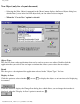
● Selecting the [Open] command in the [File] menu displays the Open dialog box, which allows
you to open an existing layout or database file.
Look in:
Select the disk or folder containing the file that you wish to open.
(1)
This list box displays the contents of the disk or folder selected in the "Look in:" edit box. Double-click
a disk or folder to display its contents in this list box or double-click a file to open it.
(2)
Click this button to display the contents of the folder containing the folder selected in the "Look in:" box.
(3)
Click this button to create a new folder in the selected disk or folder.
(4)
Click this button to display the items in the list box as icons.
(5)
file:///E|/insiders/67.htm (1 of 2) [9/26/2007 1:55:48 PM]