
Multi-Protocol Print Server Network User's Guide
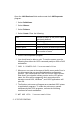

Table Of Contents
- Table of Contents
- 1 Unix Printing 1-1
- 2 TCP/IP Printing 2-1
- 3 Peer to Peer Printing 3-1
- 4 NetBIOS Peer to Peer Printing 4-1
- 5 Configuring Internet Printing for Windows® 5-1
- 6 Novell NetWare Printing 6-1
- 7 Printing From a Macintosh® 7-1
- 8 DLC Printing 8-1
- 9 Web Based Management 9-1
- 10 TCP/IP Configuration 10-1
- 11 Troubleshooting 11-1
- 12 Appendix A-1
- 13 INDEX 1-1
- IMPORTANT INFORMATION: REGULATIONS
- Unix Printing
- TCP/IP Printing
- Printing from Windows NT®4.0, Windows® 2000/XP, LAN Server and Warp Server
- Overview
- Windows NT®4.0 and Windows® 2000/XP (TCP/IP) Configuration
- Windows® 2000/XP Printing (Printer Driver not yet installed)
- Windows® 2000/XP Printing (Printer Driver already installed)
- Windows NT®4.0 Printing
- Windows NT®4.0 Printing: Installing the Brother Peer to Peer Software
- Windows NT®4.0 Printing: Associating to the Printer
- Windows NT®4.0 Printing: Adding a Second Brother LPR Port
- LAN Server, OS/2 Warp Server Configuration
- Other Sources of Information
- Printing from Windows NT®4.0, Windows® 2000/XP, LAN Server and Warp Server
- Peer to Peer Printing
- NetBIOS Peer to Peer Printing
- How to Print Using NetBIOS in Windows® 95/98/Me/2000/XP, Windows NT®4.0, LAN Server and OS/2 Warp Server
- Overview
- Print Server Configuration
- Changing the Workgroup/Domain Name Using TELNET or BRCONFIG or a Web Browser
- NetBIOS Port Monitor for Windows® 95/98/Me/ 2000/XP and Windows NT®4.0
- Installing the Brother NetBIOS Port Monitor
- Associating the Printer
- Adding a Second NetBIOS Print Port
- LAN Server/OS/2 Warp Server Configuration
- Other Sources of Information
- How to Print Using NetBIOS in Windows® 95/98/Me/2000/XP, Windows NT®4.0, LAN Server and OS/2 Warp Server
- Configuring Internet Printing for Windows®
- Internet Printing Installation
- Overview
- Brother Internet Print General Information
- Brother Internet Print: Configuring the Brother Print Server
- Brother Internet Print: Using BRAdmin to Configure the Print Server
- Brother Internet Print: Using a Web Browser to Configure the Print Server
- Brother Internet Print: Using TELNET to Configure the Print Server
- Brother Internet Print: Installing the BIP Software on Windows® 95/98/Me/2000/XP and Windows NT®4.0
- Adding a Second Brother Internet Port
- Windows® 2000/XP IPP Printing
- Specifying a Different URL
- Other Sources of Information
- Internet Printing Installation
- Novell NetWare Printing
- How to Configure Novell NetWare Printing
- Overview
- General Information
- Creating a NDPS Printer Using NWADMIN for NetWare5
- NDPS Manager
- NDPS Broker
- Creating a Printer Agent
- Configuring NetWare 3 and NetWare 4 Systems
- Configuring the Brother Print Server (Queue Server Mode in Bindery Emulation Mode) Using BRAdmin
- Configuring the Brother Print Server (Queue Server Mode in NDS mode) Using BRAdmin
- Configuring the Brother Print Server (Queue Server Mode in NDS Mode) Using Novell NWADMIN and BRAdmin
- Configuring the Brother Print Server (Remote Printer Mode in NDS mode) Using Novell NWAdmin and BRAdmin
- Configuring the Brother Print Server (Queue Server Mode in Bindery Emulation Mode) Using PCONSOLE and BRCONFIG
- Configuring the Brother Print Server (Queue Server Mode in NDS Mode) Using PCONSOLE and BRCONFIG
- Configuring the Brother Print Server (Remote Printer Mode) Using PCONSOLE and BRCONFIG
- Other Sources of Information
- How to Configure Novell NetWare Printing
- Printing From a Macintosh®
- DLC Printing
- Web Based Management
- TCP/IP Configuration
- Assigning TCP/IP Information
- Overview
- Using the Printer Control Panel to Allocate an IP Address (Printers with LCD Panels Only)
- Changing the IP Address Using the BRAdmin Application
- Using BRAdmin and the IPX/SPX Protocol to Set the IP Address
- Using BRAdmin and the TCP/IP Protocol to Set the IP Address
- Using DHCP to Configure the IP Address
- Using APIPA to Configure the IP Address
- Using ARP to Configure the Print Server IP Address
- Using RARP to Configure the IP Address
- Using BOOTP to Configure the IP Address
- Configuring the IP Address with BRCONFIG
- Changing the IP Address Settings with the TELNET Console
- Assigning TCP/IP Information
- Troubleshooting
- Overview
- Installation Problems
- Intermittent Problems
- TCP/IP Troubleshooting
- UNIX Troubleshooting
- Windows NT®4.0/LAN Server (TCP/IP) Troubleshooting
- Windows® 95/98/Me Peer to Peer Print (LPR) Troubleshooting
- Windows® 95/98/Me Peer-to-Peer (HP JetAdmin Compatible Method) Troubleshooting
- Windows® 95/98/Me and Windows NT®4.0 Peer-to- Peer Print (NetBIOS) Troubleshooting
- Brother Internet Print (TCP/IP) Troubleshooting
- Windows® 95/98/Me/2000/XP IPP Troubleshooting
- Novell NetWare Troubleshooting
- AppleTalk Troubleshooting
- DLC/LLC Troubleshooting
- Web Browser Troubleshooting (TCP/IP)
- Appendix
- INDEX

TCP/IP PRINTING 2 - 8
Configuration of an OS/2 Server
1
From the OS/2 desktop open the Templates folder. Use the
right mouse button to drag the Printer icon (not the Network
Printer icon) onto the desktop.
2
The Create a Printer window should be open (if it is not, double
click on the printer icon).
3
Type in any name for the printer.
4
Select the default printer driver. If the desired printer driver is not
listed, click on the
Install new Printer Driver
button and add the
driver.
5
Choose the output port. IBM TCP/IP automatically creates 8
named pipes called \PIPE\LPD0 through to \PIPE\LPD7.
Pick an unused port and double click on it.
You will get the Settings window. Enter the following:
You may leave the other entries blank. Click on the OK button. The
pipe should be highlighted; if not, click on it.
Click on the Create button to create the printer.
Early versions of Warp Server have a bug in which the
named pipes do not appear (the problem does not affect
Warp Connect or LAN Server). This problem is fixed via a
patch available from IBM.
LPD server The Brother print server name (from the
HOSTS file) or its IP address.
LPD printer For most applications, use the Brother print
server 'binary' service BINARY_P1. However,
if you are printing text files from the DOS or
OS/2 command prompt, you should use the
text service TEXT_P1, which will add carriage
returns for proper formatting of the data (but
will potentially distort graphics printouts).
Host name The IP name of the OS/2 file server
User The IP address of the OS/2 file server