
Multi-Protocol Print Server Network User's Guide
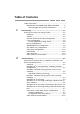
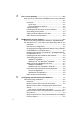
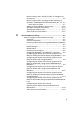
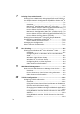
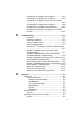


Table Of Contents
- Table of Contents
- 1 Unix Printing 1-1
- 2 TCP/IP Printing 2-1
- 3 Peer to Peer Printing 3-1
- 4 NetBIOS Peer to Peer Printing 4-1
- 5 Configuring Internet Printing for Windows® 5-1
- 6 Novell NetWare Printing 6-1
- 7 Printing From a Macintosh® 7-1
- 8 DLC Printing 8-1
- 9 Web Based Management 9-1
- 10 TCP/IP Configuration 10-1
- 11 Troubleshooting 11-1
- 12 Appendix A-1
- 13 INDEX 1-1
- IMPORTANT INFORMATION: REGULATIONS
- Unix Printing
- TCP/IP Printing
- Printing from Windows NT®4.0, Windows® 2000/XP, LAN Server and Warp Server
- Overview
- Windows NT®4.0 and Windows® 2000/XP (TCP/IP) Configuration
- Windows® 2000/XP Printing (Printer Driver not yet installed)
- Windows® 2000/XP Printing (Printer Driver already installed)
- Windows NT®4.0 Printing
- Windows NT®4.0 Printing: Installing the Brother Peer to Peer Software
- Windows NT®4.0 Printing: Associating to the Printer
- Windows NT®4.0 Printing: Adding a Second Brother LPR Port
- LAN Server, OS/2 Warp Server Configuration
- Other Sources of Information
- Printing from Windows NT®4.0, Windows® 2000/XP, LAN Server and Warp Server
- Peer to Peer Printing
- NetBIOS Peer to Peer Printing
- How to Print Using NetBIOS in Windows® 95/98/Me/2000/XP, Windows NT®4.0, LAN Server and OS/2 Warp Server
- Overview
- Print Server Configuration
- Changing the Workgroup/Domain Name Using TELNET or BRCONFIG or a Web Browser
- NetBIOS Port Monitor for Windows® 95/98/Me/ 2000/XP and Windows NT®4.0
- Installing the Brother NetBIOS Port Monitor
- Associating the Printer
- Adding a Second NetBIOS Print Port
- LAN Server/OS/2 Warp Server Configuration
- Other Sources of Information
- How to Print Using NetBIOS in Windows® 95/98/Me/2000/XP, Windows NT®4.0, LAN Server and OS/2 Warp Server
- Configuring Internet Printing for Windows®
- Internet Printing Installation
- Overview
- Brother Internet Print General Information
- Brother Internet Print: Configuring the Brother Print Server
- Brother Internet Print: Using BRAdmin to Configure the Print Server
- Brother Internet Print: Using a Web Browser to Configure the Print Server
- Brother Internet Print: Using TELNET to Configure the Print Server
- Brother Internet Print: Installing the BIP Software on Windows® 95/98/Me/2000/XP and Windows NT®4.0
- Adding a Second Brother Internet Port
- Windows® 2000/XP IPP Printing
- Specifying a Different URL
- Other Sources of Information
- Internet Printing Installation
- Novell NetWare Printing
- How to Configure Novell NetWare Printing
- Overview
- General Information
- Creating a NDPS Printer Using NWADMIN for NetWare5
- NDPS Manager
- NDPS Broker
- Creating a Printer Agent
- Configuring NetWare 3 and NetWare 4 Systems
- Configuring the Brother Print Server (Queue Server Mode in Bindery Emulation Mode) Using BRAdmin
- Configuring the Brother Print Server (Queue Server Mode in NDS mode) Using BRAdmin
- Configuring the Brother Print Server (Queue Server Mode in NDS Mode) Using Novell NWADMIN and BRAdmin
- Configuring the Brother Print Server (Remote Printer Mode in NDS mode) Using Novell NWAdmin and BRAdmin
- Configuring the Brother Print Server (Queue Server Mode in Bindery Emulation Mode) Using PCONSOLE and BRCONFIG
- Configuring the Brother Print Server (Queue Server Mode in NDS Mode) Using PCONSOLE and BRCONFIG
- Configuring the Brother Print Server (Remote Printer Mode) Using PCONSOLE and BRCONFIG
- Other Sources of Information
- How to Configure Novell NetWare Printing
- Printing From a Macintosh®
- DLC Printing
- Web Based Management
- TCP/IP Configuration
- Assigning TCP/IP Information
- Overview
- Using the Printer Control Panel to Allocate an IP Address (Printers with LCD Panels Only)
- Changing the IP Address Using the BRAdmin Application
- Using BRAdmin and the IPX/SPX Protocol to Set the IP Address
- Using BRAdmin and the TCP/IP Protocol to Set the IP Address
- Using DHCP to Configure the IP Address
- Using APIPA to Configure the IP Address
- Using ARP to Configure the Print Server IP Address
- Using RARP to Configure the IP Address
- Using BOOTP to Configure the IP Address
- Configuring the IP Address with BRCONFIG
- Changing the IP Address Settings with the TELNET Console
- Assigning TCP/IP Information
- Troubleshooting
- Overview
- Installation Problems
- Intermittent Problems
- TCP/IP Troubleshooting
- UNIX Troubleshooting
- Windows NT®4.0/LAN Server (TCP/IP) Troubleshooting
- Windows® 95/98/Me Peer to Peer Print (LPR) Troubleshooting
- Windows® 95/98/Me Peer-to-Peer (HP JetAdmin Compatible Method) Troubleshooting
- Windows® 95/98/Me and Windows NT®4.0 Peer-to- Peer Print (NetBIOS) Troubleshooting
- Brother Internet Print (TCP/IP) Troubleshooting
- Windows® 95/98/Me/2000/XP IPP Troubleshooting
- Novell NetWare Troubleshooting
- AppleTalk Troubleshooting
- DLC/LLC Troubleshooting
- Web Browser Troubleshooting (TCP/IP)
- Appendix
- INDEX
ii
3
Peer to Peer Printing ............................................................3-1
How to Print in a Windows
®
95/98/Me Peer to Peer Network
..........................................................................................3-1
Overview.....................................................................3-1
Quick Tips:..............................................................3-1
Driver Deployment Wizard......................................3-2
TCP/IP Printing...........................................................3-2
Installing the Brother Peer to Peer Software ..............3-3
Associating to the Printer............................................3-4
Adding a Second Brother LPR Port............................3-5
Other Sources of Information .....................................3-5
4
NetBIOS Peer to Peer Printing.............................................4-1
How to Print Using NetBIOS in Windows
®
95/98/Me/2000/
XP, Windows NT
®4.0
, LAN Server and OS/2 Warp Server 4-1
Overview.....................................................................4-1
Print Server Configuration ..........................................4-2
Changing the Workgroup/Domain Name Using TELNET
or BRCONFIG or a Web Browser...............................4-3
NetBIOS Port Monitor for Windows
®
95/98/Me/2000/XP
and Windows NT
®
4.0.............................................................4-4
Installing the Brother NetBIOS Port Monitor...............4-4
Associating the Printer................................................4-5
Windows
®
95/98/Me ...............................................4-5
Windows NT
®
4.0 /Windows
®
2000/XP....................4-6
Adding a Second NetBIOS Print Port.........................4-7
Windows
®
95/98/Me ...............................................4-7
Windows NT
®
4.0 / Windows
®
2000/XP...................4-8
LAN Server/OS/2 Warp Server Configuration ............4-8
Server Configuration:..............................................4-8
Workstation Configuration:.....................................4-9
Other Sources of Information .....................................4-9
5
Configuring Internet Printing for Windows
®
............................5-1
Internet Printing Installation ..............................................5-1
Overview.....................................................................5-1
Brother Internet Print General Information .................5-2
Brother Internet Print: Configuring the Brother Print
Server.........................................................................5-3
Print Server Configuration Checklist.......................5-3
Brother Internet Print: Using BRAdmin to Configure the
Print Server.................................................................5-4
Brother Internet Print: Using a Web Browser to Configure
the Print Server...........................................................5-5