
Laser Multifunction Printer Owner's Manual






7
ASSEMBLY
Assembly
Release the Scanner Lock Lever
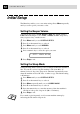
The blue scanner lock lever is on the left side of the MFC. Push the lever
up to unlock the scanner.
IMPORTANT: This step must be made for the machine to work
correctly.
Lock Unlock
Scanner Lock Lever
Caution
If CHECK SCAN LOCK appears on the LCD, immediately release the
scanner lock lever. If you see MACHINE ERROR AF (or AE), stop
operation and contact your Brother dealer for service.
Install the Drum Unit Assembly
(with Toner Cartridge)
1
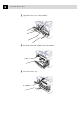
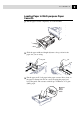
Unpack the drum unit assembly, including the toner cartridge, and
gently rock it from side to side five or six times.
To prevent damage to the drum, do not expose it
to light for longer than a few minutes.