
MFC Series Multifunction Printer Quick Setup Guide



24
Installing the Driver & Software
Make sure that you followed the instructions in
1
to
E
on pages 19 to 21.
F
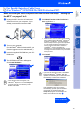
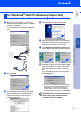
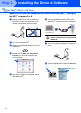
When this screen appears, connect the
parallel interface cable to your PC, and then
connect it to the MFC.
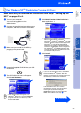
Turn on the MFC by plugging in the power
cord.
.
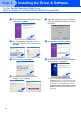
The installation of the Brother driver will
automatically start. Follow the instructions
on the screen.
G
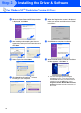
The README.WRI file will be displayed.
Please read this file for troubleshooting
information and then close the file to
continue installation.
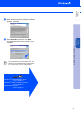
H
When the following screen appears, click
Finish and wait as the PC restarts Windows
and continues the installation.
The Brother PC fax, Printer and Scanner
drivers have been installed and the
installation is now complete.
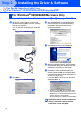
For Parallel Interface Cable Users
(For Windows
®
95/98/98SE/Me/2000 Professional/XP)
For Windows
®
XP Users Only
Step 2