
Owner's Manual
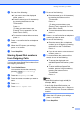




Table Of Contents
- Top
- Safety and Legal
- Using the documentation
- Compilation and Publication
- Choosing a location
- To use the machine safely
- Regulation
- Standard telephone and FCC notices
- Federal Communications Commission (FCC) Declaration of Conformity (USA only)
- Industry Canada Compliance Statement (Canada only)
- EQUIPMENT ATTACHMENT LIMITATIONS (Canada only)
- For use in the USA or Canada only
- LAN connection
- International ENERGY STAR® Qualification Statement
- Trademarks
- Open Source Licensing Remarks
- Legal limitations for copying
- brother USA/CAN
- BASIC USER’S GUIDE MFC-J6910DW
- Brother numbers
- Ordering accessories and supplies
- Notice - Disclaimer of Warranties (USA and Canada)
- Compilation and Publication Notice
- User's Guides and where do I find it?
- Table of Contents
- 1 General information
- 2 Loading paper
- 3 Loading documents
- 4 Sending a fax
- 5 Receiving a fax
- 6 Telephone services and external devices
- 7 Dialing and storing numbers
- 8 Making copies
- 9 PhotoCapture Center™: Printing photos from a memory card or USB Flash memory drive
- 10 How to print from a computer
- 11 How to scan to a computer
- A Routine maintenance
- B Troubleshooting
- C Menu and features
- D Specifications
- Index
- brother USA/CAN
- ADVANCED USER’S GUIDE MFC-J6910DW
- User's Guides and where do I find it?
- Table of Contents
- 1 General setup
- 2 Security features
- 3 Sending a fax
- Additional sending options
- Additional sending operations
- Sending a duplex (2-sided) fax from the ADF
- Sending a fax manually
- Sending a fax at the end of a conversation
- Dual Access (Black & White only)
- Broadcasting (Black & White only)
- Real Time Transmission
- Overseas Mode
- Delayed Faxing (Black & White only)
- Delayed Batch Transmission (Black & White only)
- Checking and canceling waiting jobs
- Polling overview
- 4 Receiving a fax
- 5 Dialing and storing numbers
- 6 Printing reports
- 7 Making copies
- Copy settings
- 8 PhotoCapture Center™: Printing photos from a memory card or USB Flash memory drive
- 9 Printing photos from a camera
- A Routine maintenance
- B Glossary
- Index
- brother USA/CAN
- Safety and Legal

Dialing and storing numbers
37
5
Setting up groups for
Broadcasting 5
Groups, which can be stored on a One Touch
key or Speed Dial location, allow you to send
the same fax message to many fax numbers
by pressing only a One Touch key or a Speed
Dial location by pressing
(Phone Book), the two-digit location,
Send a fax and Black Start.
First, you'll need to store each fax number in
a One Touch key or Speed Dial location.
Then you can include them as numbers in the
Group. Each Group uses up a One Touch key
or Speed Dial location. You can have up to
six Groups, or you can assign up to
215 numbers to a large Group.
(See Broadcasting (Black & White only)
on page 13 and Storing One Touch Dial
numbers and Storing Speed Dial numbers in
chapter 7 of the Basic User’s Guide.)
a Press (Phone Book).
b Press More.
c Press Setup Groups.
d Press Set Speed Dial or
Set One Touch Dial.
If you choose Set Speed Dial go to
step f.
e To accept the next available One Touch
key number press OK.
f Enter the group name (up to
16 characters) by pressing the buttons
on the Touchscreen.
Press OK.
g When the LCD shows the next available
Group number, press OK.
This Group number and name will
automatically be assigned to the next
available Speed Dial location.
h Add One Touch or Speed Dial numbers
to the Group by pressing them to display
a red checkmark. Press OK.
If you want to list the numbers in
alphabetical order, press .
Note
One Touch Dial locations begin with l.
Speed Dial locations begin with #.
i When the LCD shows the Group Name
and numbers, press OK to confirm.
j Do one of the following:
To store another Group for
broadcasting, repeat steps b to i.
To finish storing Groups for
broadcasting, press Stop/Exit.
Note
You can print a list of all the One Touch
and Speed Dial numbers. Group numbers
will be marked in the GROUP column.
(See Reports on page 40.)