
Owner's Manual


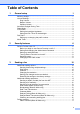

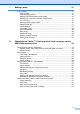


Table Of Contents
- Top
- Safety and Legal
- Using the documentation
- Compilation and Publication
- Choosing a location
- To use the machine safely
- Regulation
- Standard telephone and FCC notices
- Federal Communications Commission (FCC) Declaration of Conformity (USA only)
- Industry Canada Compliance Statement (Canada only)
- EQUIPMENT ATTACHMENT LIMITATIONS (Canada only)
- For use in the USA or Canada only
- LAN connection
- International ENERGY STAR® Qualification Statement
- Trademarks
- Open Source Licensing Remarks
- Legal limitations for copying
- brother USA/CAN
- BASIC USER’S GUIDE MFC-J6910DW
- Brother numbers
- Ordering accessories and supplies
- Notice - Disclaimer of Warranties (USA and Canada)
- Compilation and Publication Notice
- User's Guides and where do I find it?
- Table of Contents
- 1 General information
- 2 Loading paper
- 3 Loading documents
- 4 Sending a fax
- 5 Receiving a fax
- 6 Telephone services and external devices
- 7 Dialing and storing numbers
- 8 Making copies
- 9 PhotoCapture Center™: Printing photos from a memory card or USB Flash memory drive
- 10 How to print from a computer
- 11 How to scan to a computer
- A Routine maintenance
- B Troubleshooting
- C Menu and features
- D Specifications
- Index
- brother USA/CAN
- ADVANCED USER’S GUIDE MFC-J6910DW
- User's Guides and where do I find it?
- Table of Contents
- 1 General setup
- 2 Security features
- 3 Sending a fax
- Additional sending options
- Additional sending operations
- Sending a duplex (2-sided) fax from the ADF
- Sending a fax manually
- Sending a fax at the end of a conversation
- Dual Access (Black & White only)
- Broadcasting (Black & White only)
- Real Time Transmission
- Overseas Mode
- Delayed Faxing (Black & White only)
- Delayed Batch Transmission (Black & White only)
- Checking and canceling waiting jobs
- Polling overview
- 4 Receiving a fax
- 5 Dialing and storing numbers
- 6 Printing reports
- 7 Making copies
- Copy settings
- 8 PhotoCapture Center™: Printing photos from a memory card or USB Flash memory drive
- 9 Printing photos from a camera
- A Routine maintenance
- B Glossary
- Index
- brother USA/CAN
- Safety and Legal

ii
Table of Contents
1 General setup 1
Memory storage.....................................................................................................1
Volume Settings.....................................................................................................1
Ring Volume ....................................................................................................1
Beeper Volume................................................................................................2
Speaker Volume ..............................................................................................2
Automatic Daylight Saving Time............................................................................3
Sleep Mode ...........................................................................................................3
LCD screen............................................................................................................4
Setting the backlight brightness.......................................................................4
Setting the Dim Timer for the backlight ...........................................................4
Dial Prefix ..............................................................................................................4
Setting up or changing the prefix number........................................................4
Mode Timer............................................................................................................5
2 Security features 6
Secure Function Lock 2.0 ...................................................................................... 6
Before you begin to use Secure Function Lock 2.0.........................................6
Setting and changing the Administrator Password..........................................7
Setting up restricted users...............................................................................8
Turning Secure Function Lock on/off...............................................................8
Switching users ...............................................................................................9
Changing to the Public mode ..........................................................................9
3 Sending a fax 10
Additional sending options...................................................................................10
Sending faxes using multiple settings ...........................................................10
Stop faxing.....................................................................................................10
Contrast ......................................................................................................... 10
Changing fax resolution.................................................................................11
Setting your changes as the new default.......................................................11
Restoring fax settings to the factory settings................................................. 11
Additional sending operations..............................................................................12
Sending a duplex (2-sided) fax from the ADF ...............................................12
Sending a fax manually .................................................................................12
Sending a fax at the end of a conversation ...................................................13
Dual Access (Black & White only) .................................................................13
Broadcasting (Black & White only) ................................................................13
Real Time Transmission................................................................................ 15
Overseas Mode .............................................................................................15
Delayed Faxing (Black & White only) ............................................................15
Delayed Batch Transmission (Black & White only) .......................................16
Checking and canceling waiting jobs............................................................. 16
Polling overview...................................................................................................17
Polled Transmit (Black & White only) ............................................................17