
User Manual


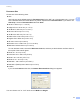


Table Of Contents
- SOFTWARE USER’S GUIDE
- Table of Contents
- Windows®
- 1 Printing
- Using the Brother printer driver
- Features
- Choosing the right type of paper
- Simultaneous printing, scanning and faxing
- Clearing data from the memory
- Status Monitor
- Printer driver settings
- Accessing the printer driver settings
- Basic tab
- Advanced tab
- Print Profiles tab
- Support
- Using FaceFilter Studio for photo printing by REALLUSION
- 2 Scanning
- 3 ControlCenter4
- 4 Remote Setup
- 5 Brother PC-FAX Software
- 6 PhotoCapture Center™
- 7 Firewall settings (For Network users)
- 1 Printing
- Apple Macintosh
- 8 Printing and Faxing
- 9 Scanning
- 10 ControlCenter2
- 11 Remote Setup & PhotoCapture Center™
- Using the Scan key
- Index
- brother CHN-ENG

Scanning
35
2
f Click Acquire Image Data.
The Scanner Setup dialog box appears.
g Adjust the following settings, if needed, in the Scanner Setup dialog box:
1 Scan (Image Type)
2 Resolution
3 Scan Type
4 Reduce Noise
5 Brightness
6Contrast
7 Document Size
8AutoCrop
9 Duplex(two-sided) Scanning
(For MFC-J6910DW)
h Click Start.
When scanning is finished, click Cancel to return to the Presto! PageManager window.
1
2
3
4
5
6
7
8
9