
User Manual


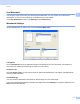


Table Of Contents
- SOFTWARE USER’S GUIDE
- Table of Contents
- Windows®
- 1 Printing
- Using the Brother printer driver
- Features
- Choosing the right type of paper
- Simultaneous printing, scanning and faxing
- Clearing data from the memory
- Status Monitor
- Printer driver settings
- Accessing the printer driver settings
- Basic tab
- Advanced tab
- Print Profiles tab
- Support
- Using FaceFilter Studio for photo printing by REALLUSION
- 2 Scanning
- 3 ControlCenter4
- 4 Remote Setup
- 5 Brother PC-FAX Software
- 6 PhotoCapture Center™
- 7 Firewall settings (For Network users)
- 1 Printing
- Apple Macintosh
- 8 Printing and Faxing
- 9 Scanning
- 10 ControlCenter2
- 11 Remote Setup & PhotoCapture Center™
- Using the Scan key
- Index
- brother CHN-ENG

Printing
23
1
Retrieve Printer’s Colour Data 1
This setting helps you to optimize print quality by acquiring the device information. Use this option when you
have replaced the device or changed the network device of the destination network address.
Use Printer’s Colour Data
Check this box if you want to use the printer’s colour data. Remove the check mark if you do not want to
use the information.
Retrieve Printer’s Colour Data
If you click this button, the printer driver starts retrieving the colour data of your device. This may take time.
Depending on the device status, the printer driver may fail to retrieve the colour data.