
User Manual


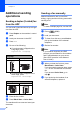


Table Of Contents
- ADVANCED USER’S GUIDE MFC-J6910DW
- User's Guides and where do I find it?
- Table of Contents
- 1 General setup
- 2 Security features
- 3 Sending a fax
- Additional sending options
- Additional sending operations
- Sending a duplex (2-sided) fax from the ADF
- Sending a fax manually
- Sending a fax at the end of a conversation
- Dual Access (Black & White only)
- Broadcasting (Black & White only)
- Real Time Transmission
- Overseas Mode
- Delayed Faxing (Black & White only)
- Delayed Batch Transmission (Black & White only)
- Checking and canceling waiting jobs
- Polling overview
- 4 Receiving a fax
- 5 Dialing and storing numbers
- 6 Printing reports
- 7 Making copies
- Copy settings
- 8 PhotoCapture Center™: Printing photos from a memory card or USB Flash memory drive
- 9 Printing photos from a camera
- A Routine maintenance
- B Glossary
- Index
- brother USA/CAN

Chapter 3
12
Additional sending
operations
3
Sending a duplex (2-sided) fax
from the ADF 3
You can send 2-sided documents up to Legal
size from the ADF.
a Press Duplex on the machine’s control
panel.
b Load your document in the ADF.
c Press Fax.
d Do one of the following:
If your document is flipped on the
Long edge, press
DuplexScan :LongEdge.
If your document is flipped on the
Short edge, press
DuplexScan :ShortEdge.
e Enter the fax number.
f Press Black Start or Color Start.
The machine will now scan and send your
document.
Sending a fax manually 3
Manual transmission lets you hear the
dialing, ringing and fax-receiving tones while
sending a fax.
Note
To send a multiple page fax, use the ADF.
a Press (FAX).
b Load your document.
c To listen for a dial tone, press Hook or
pick up the handset of the external
telephone.
d Dial the fax number.
Note
If your network supports the LDAP
protocol you can search for fax numbers
and E-mail addresses on your server.
(See LDAP operation in the Network
User’s Guide.)
e When you hear the fax tone, press
Black Start or Color Start.
If you are using the scanner glass, press
Send on the Touchscreen to send the
fax.
If you pressed Color Start, go to
step f.
f If you picked up the handset of an
external telephone, replace it.
Long edge
Portrait Landscape
Short edge
Portrait Landscape