
User Manual



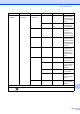


Table Of Contents
- BASIC USER’S GUIDE MFC-J6910DW
- User's Guides and where do I find it?
- Table of Contents
- 1 General information
- 2 Loading paper
- 3 Loading documents
- 4 Sending a fax
- 5 Receiving a fax
- 6 Telephone and external devices
- 7 Dialling and storing numbers
- 8 Making copies
- 9 Printing photos from a memory card or USB Flash memory drive
- 10 How to print from a computer
- 11 How to scan to a computer
- A Routine maintenance
- B Troubleshooting
- C Menu and features
- D Specifications
- Index
- brother CHN-ENG

112
Initial Setup
(Continued)
Reset Network — Resets the print server
back to its factory default
settings, such as the
password and IP address
information.
98
Speed Dial&Fax
— Deletes all stored
Speed Dial numbers and
faxes, restores the Station
ID, Quick Dial List,
Transmission Verification
Report and Fax Journal
back to the factory default
settings.
All Settings — Resets all the machine’s
settings back to the
settings that were set at
the factory.
Local Language
— Chinese*
English
Always you to change the
LCD language.
9
Level1 Level2 Level3 Options Descriptions Page
1
See Advanced User’s Guide.
2
See Quick Setup Guide.
The factory settings are shown in Bold with an asterisk.