
User Manual




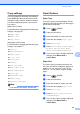


Table Of Contents
- BASIC USER’S GUIDE MFC-J6910DW
- User's Guides and where do I find it?
- Table of Contents
- 1 General information
- 2 Loading paper
- 3 Loading documents
- 4 Sending a fax
- 5 Receiving a fax
- 6 Telephone and external devices
- Voice operations
- Telephone Service for Australia
- Telephone Service for New Zealand
- Telephone Service for Some Countries
- Connecting an external TAD (telephone answering device)
- External and extension telephones
- 7 Dialling and storing numbers
- 8 Making copies
- 9 Printing photos from a memory card or USB Flash memory drive
- 10 How to print from a computer
- 11 How to scan to a computer
- A Routine maintenance
- B Troubleshooting
- C Menu and features
- D Specifications
- Index
- brother ARL/ASA/NZ

58
8
How to copy 8
The following steps show the basic copy
operation. For details about each option, see
the Advanced User’s Guide.
a Make sure you are in copy mode, press
(COPY) to illuminate it in blue.
The LCD shows:
1 No. of Copies
Press the number box directly and enter
the number you want.
Also you can enter the number of copies
by pressing or on the
screen (as shown above).
Note
The default setting is Fax mode. You can
change the amount of time that the
machine stays in Copy mode after the last
copy operation. (See Mode Timer in
chapter 1 of the Advanced User’s Guide.)
b Do one of the following to load your
document:
Place the document face up in the
ADF.
(See Using the ADF on page 28.)
Place the document face down on
the scanner glass.
(See Using the scanner glass
on page 29.)
c If you want more than one copy, enter
the number (up to 99).
d Press Mono Start or Colour Start.
Stop copying 8
To stop copying, press Stop/Exit.
Making copies 8
1