
User Manual

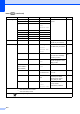


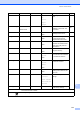


Table Of Contents
- BASIC USER’S GUIDE MFC-J6910DW
- User's Guides and where do I find it?
- Table of Contents
- 1 General information
- 2 Loading paper
- 3 Loading documents
- 4 Sending a fax
- 5 Receiving a fax
- 6 Telephone and external devices
- Voice operations
- Telephone Service for Australia
- Telephone Service for New Zealand
- Telephone Service for Some Countries
- Connecting an external TAD (telephone answering device)
- External and extension telephones
- 7 Dialling and storing numbers
- 8 Making copies
- 9 Printing photos from a memory card or USB Flash memory drive
- 10 How to print from a computer
- 11 How to scan to a computer
- A Routine maintenance
- B Troubleshooting
- C Menu and features
- D Specifications
- Index
- brother ARL/ASA/NZ

Menu and features
113
C
Network
(Continued)
Network I/F — Wired L AN*
WLAN
— You can choose
the network
connection type.
LDAP — On
Off*
— Allows you to
search for
information such
as fax numbers
and E-mail
addresses on
your server.
Network Reset — — — Restore all
network settings
to factory default.
Level1 Level2 Level3 Level4 Options Descriptions
See Network User’s Guide.
The factory settings are shown in Bold with an asterisk.