
User Manual

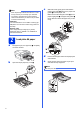


Table Of Contents
- Quick Setup Guide MFC-J6910DW
- Start Here
- 1 Unpack the machine and check the components
- 2 Load plain A4 paper
- 3 Connect the power cord and telephone line
- 4 Install the ink cartridges
- 5 Check the print quality
- 6 Set the paper settings
- 7 Choose a Receive Mode
- 8 Set the date and time
- 9 Enter personal information (Station ID)
- 10 Fax Transmission Report
- 11 Set Tone or Pulse dialling mode
- 12 Set the telephone line type
- 13 Set the telephone line compatibility
- 14 Manual Feed Slot
- 15 Choose your connection type
- For USB interface users (Windows® 2000 Professional/XP Home/XP Professional/Windows Vista®/Windows® 7)
- For USB interface users (Mac OS X 10.4.11, 10.5.x, 10.6.x)
- For wired network interface users (Windows® 2000 Professional/XP Home/XP Professional/Windows Vista®/Windows® 7)
- For wired network interface users (Mac OS X 10.4.11, 10.5.x, 10.6.x)
- For wireless network interface users
- 16 Before you begin
- 17 Confirm your network environment (Infrastructure Mode)
- 18 Configure the wireless settings (typical Wireless Setup in infrastructure mode)
- 18 Configure the wireless settings using the automatic wireless (one- push) method
- Troubleshooting
- Install the drivers & software (Windows® 2000 Professional/XP Home/XP Professional/Windows Vista®/Windows® 7)
- Install the drivers & software (Mac OS X 10.4.11, 10.5.x, 10.6.x)
- Install Optional Applications Windows®
- For Network Users
- Consumables
- brother UK/IRE/GEN
- Start Here

6
g Unpack the ink cartridge.
Turn the green release lever on the orange
protective packing a clockwise until it clicks to
release the vacuum seal. Then remove the
orange protective packing a as shown.
h Take care to match the colour of the lever a
with the cartridge colour b, as shown in the
diagram below.
Install each ink cartridge in the direction of the
arrow on the label.
i Gently push the back of the ink cartridge
marked “PUSH” until it clicks. After all the ink
cartridges are installed close the ink cartridge
cover.
CAUTION
If ink gets in your eyes, wash it out with water at
once and call a doctor if you are concerned.
IMPORTANT
DO NOT shake the ink cartridges. If ink stains
your skin or clothing, wash with soap or
detergent at once.
1
11
1
2
Note
The machine will prepare the ink tube system for
printing. This process will take approximately four
minutes. Do not turn off the machine.