
User Manual


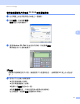


Table Of Contents
- 軟體使用說明書
- 目錄
- Windows®
- 1 列印
- 2 掃描
- 3 ControlCenter4
- 4 遠端設定
- 5 Brother PC-FAX 軟體
- 6 PhotoCapture Center™ (影像擷取中心)
- 7 防火牆設定 (適用於網路用戶)
- Apple Macintosh
- 使用掃描鍵
- 索引
- brother TCHN

Brother PC-FAX 軟體
90
5
通訊錄 5
如果您的電腦上安裝有 Outlook、Outlook Express 或 Windows Mail,您可以從選擇通訊錄
下拉式清單中選擇用於 PC-FAX 發送的通訊錄。共有四種通訊錄類型:Brother 通訊錄、
Outlook 通訊錄、Outlook Express 通訊錄、Windows Mail 通訊錄及 Windows 聯絡人。
對於通訊錄檔案,您必須輸入包含通訊錄資訊的資料庫檔案的路徑和檔案名稱。
點擊瀏覽選擇資料庫檔案。
如果您選擇 Outlook 或 Outlook Express,點擊傳真發送對話方塊中的通訊錄按鈕,即可使
用 Outlook 或 Outlook Express 通訊錄 ( 適用於 Windows
®
2000/XP)、Windows Mail 通訊錄
( 適用於 Windows Vista
®
) 或 Windows 聯絡人 ( 適用於 Windows
®
7)。
Outlook Express 通訊錄
5
註釋
若要使用 Outlook 通訊錄,您必須選擇 Microsoft
®
Outlook
®
2000、2002、2003 或 2007
作為您的預設電子郵件應用程式。