网络扫描 ( 适用于标配内置网络支持的型号 )
181
13
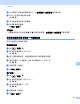
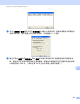
b 执行以下操作之一:
(Windows
®
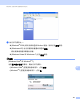
2000) 请从列表中选择 Brother 设备,然后点击属性按钮。
(Windows
®
XP) 右击扫描仪设备图标并选择属性。
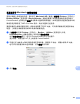
将出现网络扫描仪属性对话框。
(Windows Vista
®
和 Windows
®
7) 点击属性按钮。
(Windows Vista
®
和 Windows
®
7)
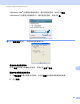
出现用户帐户控制屏幕时,请执行以下操作:
• (Windows Vista
®
) 管理员身份的用户:点击继续。
• (Windows
®
7) 管理员身份的用户:点击是。