
User Manual
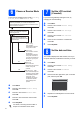
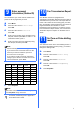
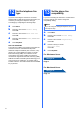
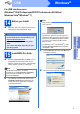
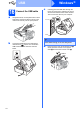
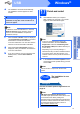
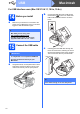
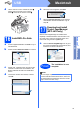
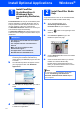
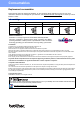
Table Of Contents
- Quick Setup Guide MFC-J220 MFC-J410
- Start Here
- 1 Unpack the machine and check the components
- 2 Load plain A4 paper
- 3 Connect the power cord and telephone line
- 4 Install the ink cartridges
- 5 Check the print quality
- 6 Choose a Receive Mode
- 7 Set the LCD contrast (if needed)
- 8 Set the date and time
- 9 Enter personal information (Station ID)
- 10 Fax Transmission Report
- 11 Set Tone or Pulse dialling mode
- 12 Set the telephone line type
- 13 Set the phone line compatibility
- For USB interface users (Windows® 2000 Professional/XP/XP Professional x64 Edition/Windows Vista®/Windows® 7)
- For USB interface users (Mac OS X 10.4.11, 10.5.x, 10.6.x)
- Install Optional Applications Windows®
- Consumables
- brother SAF
- Start Here

Consumables
Replacement consumables
When the time comes to replace ink cartridges, an error message will be indicated on the LCD. For more
information about the ink cartridges for your machine, visit http://www.brother.com/original/
or contact your local
Brother re-seller.
Ink cartridge
Trademarks
The Brother logo is a registered trademark of Brother Industries, Ltd.
Brother is a registered trademark of Brother Industries, Ltd.
Multi-Function Link is a registered trademark of Brother International Corporation.
Windows Vista is either a registered trademark or a trademark of Microsoft Corporation in the United States and other countries.
Microsoft, Windows, Windows Server and Internet Explorer are registered trademarks of Microsoft Corporation in the United States and/or
other countries.
Apple, Macintosh and Mac OS are trademarks of Apple Inc., registered in the United States and other countries.
FaceFilter Studio is a trademark of Reallusion, Inc.
Each company whose software title is mentioned in this manual has a Software License Agreement specific to its proprietary programs.
Any trade names and product names of companies appearing on Brother products, related documents and any other
materials are all trademarks or registered trademarks of those respective companies.
Compilation and Publication
Under the supervision of Brother Industries, Ltd., this manual has been compiled and published, covering the latest product descriptions and
specifications.
The contents of this manual and the specifications of this product are subject to change without notice.
Brother reserves the right to make changes without notice in the specifications and materials contained herein and shall not be responsible for
any damages (including consequential) caused by reliance on the materials presented, including but not limited to typographical and other
errors relating to the publication.
Copyright and License
©2010 Brother Industries, Ltd. All rights reserved.
Black Yellow Cyan Magenta
LC39BK LC39Y LC39C LC39M
What is Innobella™?
Innobella™ is a range of genuine consumables offered by Brother.
The name “Innobella™” derives from the words “Innovation” and “Bella”
(meaning “Beautiful” in Italian) and is a representation of the “innovative”
technology providing you with “beautiful” and “long lasting” print results.
Get inspired. Double-click the Brother CreativeCentre icon on your desktop to access a FREE web site with many
ideas and resources for personal and professional use.
http://www.brother.com/creativecenter/