
User Manual
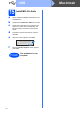
Table Of Contents
- Quick Setup Guide MFC-J220 MFC-J410
- Start Here
- 1 Unpack the machine and check the components
- 2 Load plain A4 paper
- 3 Connect the power cord and telephone line
- 4 Install the ink cartridges
- 5 Check the print quality
- 6 Choose your language
- 7 Choose a Receive Mode
- 8 Set the date and time
- 9 Enter personal information (Station ID)
- 10 Set Tone or Pulse dialling mode
- 11 Set the telephone line type
- 12 Set the phone line compatibility
- For USB interface users (Windows® 2000 Professional/XP/XP Professional x64 Edition/ Windows Vista®/Windows® 7)
- For USB interface users (Mac OS X 10.4.11, 10.5.x, 10.6.x)
- Install Optional Applications Windows®
- brother CEE-ENG
- Start Here

5
8
Set the date and time
a Press Menu.
b Press a or b to choose Initial Setup.
Press OK.
c Press a or b to choose Date&Time.
Press OK.
d Enter the last two digits of the year on the dial
pad, and then press OK.
e Repeat for month/day/time in 24-hour format.
f Press Stop/Exit.
9
Enter personal
information (Station ID)
You should store your name and fax number to be
printed on all fax pages that you send.
a Press Menu.
b Press a or b to choose Initial Setup.
Press OK.
c Press a or b to choose Station ID.
Press OK.
d Enter your fax number (up to 20 digits) on the
dial pad, and then press OK. To enter a “+” for
international codes, press l.
e Enter your name (up to 20 characters) using
the dial pad, and then press OK.
f Press Stop/Exit.
10
Set Tone or Pulse dialling
mode
a Press Menu.
b Press a or b to choose Initial Setup.
Press OK.
c Press a or b to choose Tone/Pulse.
Press OK.
d Press a or b to choose Pulse (or Tone).
Press OK.
e Press Stop/Exit.
11
Set the telephone line
type
a Press Menu.
b Press a or b to choose Initial Setup.
Press OK.
c Press a or b to choose Phone Line Set.
Press OK.
d Press a or b to choose Normal, PBX or ISDN.
Press OK.
e Press Stop/Exit.
Note
If you make a mistake and want to start again,
press Stop/Exit and go back to a .