
User's Guide
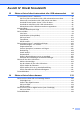
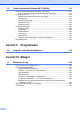
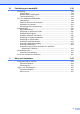
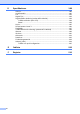

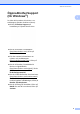
Table Of Contents
- BRUKSANVISNING MFC-790CW MFC-990CW
- Godkännande och sammanställningar och publikation
- EU konformitetsförklaring under R & TTE- direktivet
- Innehållsförteckning
- Avsnitt I: Allmänt
- 1 Allmän information
- 2 Ladda dokument och papper
- 3 Grundinställningar
- 4 Säkerhetsfunktioner
- Avsnitt II: Fax
- 5 Sända ett fax
- Aktivera faxläge mode
- Gruppsändning (endast svartvitt)
- Ytterligare sändningsfunktioner
- Sända fax med flera inställningar
- Kontrast
- Ändra faxupplösning
- Dubbel åtkomst (endast svartvitt)
- Realtidsöverföring
- Internationellt läge
- Fördröjd faxning (endast svartvitt )
- Fördröjd gruppsändning (endast svartvitt )
- Kontrollera och radera väntande jobb
- Ställa in dina ändringar som en ny standardinställning
- Återställa alla inställningar till fabriksinställningarna
- Sända ett fax manuellt
- Sända ett faxmeddelande i slutet av ett samtal
- Meddelandet Minnet är fullt
- 6 Ta emot fax
- 7 Telefon- och externa enheter
- 8 Uppringning och lagring av nummer
- 9 Digital TSV
- 10 Skriva ut rapporter
- 11 Pollning
- 5 Sända ett fax
- Avsnitt III : Kopiera
- 12 Kopiering
- Hur du kopierar
- Kopieringsinställningar
- "Minnet är fullt"- meddelande
- 12 Kopiering
- Avsnitt IV: Direkt fotoutskrift
- 13 Skriva ut foton från ett minneskort eller USB-minnesenhet
- PhotoCapture Center™ funktioner
- Komma igång
- Skriva ut bilder
- PhotoCapture Center™ utskriftsinställningar
- Skanna till kort eller USB-minne
- Felmeddelanden
- 14 Skriva ut foton från en kamera
- 15 Trådlös fotoutskrift (Endast MFC-990CW)
- 13 Skriva ut foton från ett minneskort eller USB-minnesenhet
- Avsnitt V: Programvara
- Avsnitt VI: Bilagor
- A Säkerhet och lag
- B Felsökning och underhåll
- Felsökning
- Fel- och underhållsmeddelanden
- Rutinunderhåll
- Byta bläckpatroner
- Rengöring av maskinens utsida
- Rengöra skannerglaset
- Rengöra maskinens skrivarvals
- Rengöring av pappersmatarrullen
- Rengöring av skrivhuvudet
- Kontrollera utskriftskvaliteten
- Kontrollera utskriftsjusteringen
- Kontrollera bläcknivån
- Avinstallera och installera telefonlur och lurhållare (Endast MFC-790CW)
- Maskininformation
- Packa och transportera maskinen
- C Meny och funktioner
- D Specifikationer
- E Ordlista
- Register
- brother SWE

Allmän information
5
1
Öppna Brother Support
(för Windows
®
) 1
Du hittar alla kontakter du behöver, t.ex.
webbsupport (Brother Solutions Center).
Klicka på Brother Support på
huvudmenyn. Följande skärm visas:
Om du vill besöka vår webbplats
(http://www.brother.com
), klicka på
Brothers hemsida.
För den senaste informationen om
nyheter och produktsupport
(http://solutions.brother.com
), klicka på
Brother Solutions Center.
Om du vill besöka vår webbsida för
Brothers originaltillbehör
(http://www.brother.com/original/
), klicka
på Information om
förbrukningsmaterial.
Om du vill besöka Brother CreativeCenter
(http://www.brother.com/creativecenter/
)
för GRATIS fotoprojekt och
utskrivningsbara nedladdningar, klicka på
Brother CreativeCenter.
Om du vill återgå till hemsidan, klicka på
Bakåt eller om du har avslutat, klicka på
Avsluta.