
Printer/Fax/Scanner/Copier Quick Setup Guide
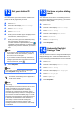
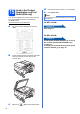
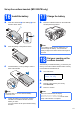
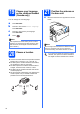
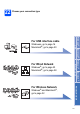
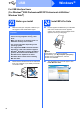
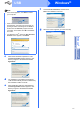
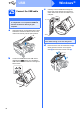
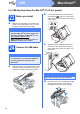
Table Of Contents
- Quick Setup Guide MFC-790CW MFC-990CW
- Start Here
- 1 Unpack the machine and check the components
- 2 Connect the handset (MFC-790CW only)
- 3 Load plain Letter/A4 paper
- 4 Connect the power cord and telephone line
- 5 Install the ink cartridges
- 6 Check the print quality
- 7 Choose your language (If needed)
- 8 Choose the correct Receive Mode
- 9 Setting up the Message Center
- 10 Set the LCD contrast (If needed)
- 11 Set the date and time
- 12 Set your station ID
- 13 Set tone or pulse dialing mode
- 14 Automatic Daylight Savings Time
- 15 Send in the Product Registration and Test Sheet (USA only)
- Set up the cordless handset (MFC-990CW only)
- For USB Interface Users (For Windows® 2000 Professional/XP/XP Professional x64 Edition/ Windows Vista®)
- For USB Interface Users (For Mac OS® X 10.2.4 or greater)
- For Wired Network Interface Users (For Windows® 2000 Professional/XP/XP Professional x64 Edition/ Windows Vista®)
- For Wired Network Interface Users (For Mac OS® X 10.2.4 or greater)
- For Wireless Network Interface Users
- 23 Before you begin
- 24 Confirm your network environment (Infrastructure Mode)
- Connecting the Brother machine to the wireless network
- Install the Drivers & Software (For Windows® 2000 Professional/XP/XP Professional x64 Edition/ Windows Vista®)
- Install the Drivers & Software (For Mac OS® X 10.2.4 or greater)
- Install Optional Applications Windows®
- For Network Users
- Consumables
- brother USA/CAN
- Start Here

14
19
Choose your language
on the cordless handset
(Canada only)
You can change the LCD language.
a Press Menu/OK.
b Press a or b to choose Select Language.
Press Menu/OK.
c Press a or b to choose your language.
Press Menu/OK.
d Press .
20
Choose a location
Choose a location where the temperature remains
between 50° F and 95° F (10° C and 35° C).
DO NOT put the cordless handset near heaters,
air conditioners, water or chemicals.
DO NOT expose the cordless handset to direct
sunlight, excessive heat, moisture, or dust.
DO NOT use the cordless handset near electro-
medical equipment.
We recommend at least 9.8 ft (3 m) between the
machine (base unit) or cordless handset and
possible sources of radio interference.
21
Position the antenna on
the base unit
a Move the antenna to the up position as shown
below.
Note
After replacement of the battery in the cordless
handset, you should set the date and time. (See
Date and Time in the Digital Cordless Handset
User’s Guide.)
(3 m)(3 m)
9.8 ft 9.8 ft
Note
Avoid using in an area where it is difficult for radio
waves to penetrate such as in a reinforced
concrete building, near metal furniture or doors.
If you have purchased an optional cordless
handset, see Optional Cordless Handset in
the Digital Cordless Handset User’s Guide.