
User Manual
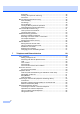
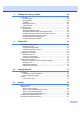
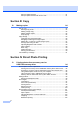
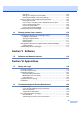
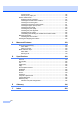
Table Of Contents
- USER’S GUIDE MFC-790CW
- Approval Information and Compilation and Publication Notice
- Table of Contents
- Section I General
- 1 General Information
- 2 Loading paper and documents
- 3 General setup
- 4 Security features
- Section II Fax
- 5 Sending a Fax
- Entering Fax mode
- Broadcasting (Monochrome only)
- Additional sending operations
- Sending faxes using multiple settings
- Contrast
- Changing fax resolution
- Dual access (Monochrome only)
- Real time transmission
- Overseas Mode
- Delayed Faxing (Monochrome only)
- Delayed Batch Transmission (Monochrome only)
- Checking and cancelling waiting jobs
- Setting your changes as a new default
- Restoring all settings to the factory settings
- Sending a fax manually
- Sending a fax at the end of a conversation
- Out of Memory message
- 6 Receiving a Fax
- 7 Telephone and External devices
- 8 Dialling and storing numbers
- 9 Digital TAD
- 10 Printing Reports
- 11 Polling
- 5 Sending a Fax
- Section III Copy
- Section IV Direct Photo Printing
- Section V Software
- Section VI Appendixes
- A Safety and Legal
- B Troubleshooting and Routine Maintenance
- Troubleshooting
- Error and Maintenance messages
- Routine maintenance
- Replacing the ink cartridges
- Cleaning the outside of the machine
- Cleaning the scanner glass
- Cleaning the machine’s printer platen
- Cleaning the paper pick-up roller
- Cleaning the print head
- Checking the print quality
- Checking the print alignment
- Checking the ink volume
- Uninstalling and installing the handset and handset cradle
- Machine Information
- Packing and shipping the machine
- C Menu and Features
- D Specifications
- E Glossary
- Index
- brother CHN-ENG

viii
Document jam .............................................................................................144
Printer jam or paper jam ..............................................................................145
Routine maintenance.........................................................................................147
Replacing the ink cartridges ........................................................................147
Cleaning the outside of the machine ...........................................................150
Cleaning the scanner glass .........................................................................151
Cleaning the machine’s printer platen .........................................................151
Cleaning the paper pick-up roller.................................................................152
Cleaning the print head ...............................................................................152
Checking the print quality ............................................................................153
Checking the print alignment .......................................................................154
Checking the ink volume .............................................................................154
Uninstalling and installing the handset and handset cradle.........................154
Machine Information ..........................................................................................156
Checking the serial number .........................................................................156
Packing and shipping the machine ....................................................................156
C Menu and Features 159
On-screen programming....................................................................................159
Menu table...................................................................................................159
Memory storage...........................................................................................159
Mode and menu keys ........................................................................................159
Menu table...................................................................................................160
Entering Text ...............................................................................................179
D Specifications 180
General ..............................................................................................................180
Print media.........................................................................................................182
Fax.....................................................................................................................183
Digital TAD.........................................................................................................185
Copy ..................................................................................................................186
PhotoCapture Center™ .....................................................................................187
PictBridge ..........................................................................................................188
Scanner .............................................................................................................189
Printer ................................................................................................................190
Interfaces ...........................................................................................................191
Computer requirements .....................................................................................192
Consumable items .............................................................................................193
Network (LAN) ...................................................................................................194
Wireless one-push configuration .................................................................195
E Glossary 196
F Index 200