
User Manual
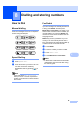
Table Of Contents
- USER’S GUIDE MFC-790CW
- Approval Information and Compilation and Publication Notice
- Table of Contents
- Section I General
- 1 General Information
- 2 Loading paper and documents
- 3 General setup
- 4 Security features
- Section II Fax
- 5 Sending a Fax
- Entering Fax mode
- Broadcasting (Monochrome only)
- Additional sending operations
- Sending faxes using multiple settings
- Contrast
- Changing fax resolution
- Dual access (Monochrome only)
- Real time transmission
- Overseas Mode
- Delayed Faxing (Monochrome only)
- Delayed Batch Transmission (Monochrome only)
- Checking and cancelling waiting jobs
- Setting your changes as a new default
- Restoring all settings to the factory settings
- Sending a fax manually
- Sending a fax at the end of a conversation
- Out of Memory message
- 6 Receiving a Fax
- 7 Telephone and External devices
- 8 Dialling and storing numbers
- 9 Digital TAD
- 10 Printing Reports
- 11 Polling
- 5 Sending a Fax
- Section III Copy
- Section IV Direct Photo Printing
- Section V Software
- Section VI Appendixes
- A Safety and Legal
- B Troubleshooting and Routine Maintenance
- Troubleshooting
- Error and Maintenance messages
- Routine maintenance
- Replacing the ink cartridges
- Cleaning the outside of the machine
- Cleaning the scanner glass
- Cleaning the machine’s printer platen
- Cleaning the paper pick-up roller
- Cleaning the print head
- Checking the print quality
- Checking the print alignment
- Checking the ink volume
- Uninstalling and installing the handset and handset cradle
- Machine Information
- Packing and shipping the machine
- C Menu and Features
- D Specifications
- E Glossary
- Index
- brother CHN-ENG

Chapter 8
66
Outgoing Call history 8
The last 30 numbers you called or sent a fax
to will be stored in the outgoing call history.
You can choose one of these numbers to
telephone, to fax to, add to Speed Dial or
delete from the history.
a Press Redial.
You can also press History.
b Press Outgoing Call tab.
c Press the number you want.
d Do one of the following:
To make a telephone call, press
Make a phone call.
To send a fax, press Send a fax.
Press Mono Start or Color Start.
If you want to store the number,
press More and then press
Add to Speed Dial.
(See Storing Speed Dial numbers
from Outgoing Calls on page 68.)
If you want to delete the number from
the Outgoing Call history list, press
More and then press Delete.
Press Yes to confirm.
e Press Stop/Exit.
Caller ID history 8
This feature requires the Caller ID subscriber
service offered by many local telephone
companies. (See Caller ID (Caller
IDentification) (not available in certain area)
on page 60.)
The number, or name if available, from the
last 30 faxes and telephone calls you
received will be stored in the Caller ID history.
You can view the list or choose one of these
numbers to telephone, to fax to, add to
Speed Dial or delete from the history. When
the thirty-first call comes in to the machine, it
replaces information about the first call.
a Press History.
b Press Caller ID hist..
c Press the number or the name you want
to call.
d Do one of the following:
To make a telephone call, press
Make a phone call.
To send a fax, press Send a fax.
Press Mono Start or Color Start.
If you want to store the number,
press More and then press
Add to Speed Dial.
(See Storing Speed Dial numbers
from the Caller ID history
on page 68.)
If you want to delete the number from
the Caller ID history list, press More
and then press Delete.
Press Yes to confirm.
e Press Stop/Exit.
Note
You can print the Caller ID list.
(See How to print a report on page 78.)