
User Guide




INTRODUCTION
1 - 3
ZleFB_MFC9800-FM5.5
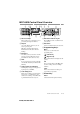
MFC-9800 Control Panel Overview
1One Touch Keys
These 16 keys give you instant access to
previously stored phone numbers.
2Reports
Access the Reports menu so you can
select reports to print:
Help List, Auto Dial, Fax Activity,
Transmission Verification and User
Settings.
3Broadcast
Use this key when you want to send the
same fax to many different locations
(maximum of 182 locations at once).
4Shift
To access memory locations 17 through
32 in the One Touch keys hold down the
Shift key.
5LCD (Liquid Crystal Display)
LCD displays messages to help you set
up and operate your MFC.
6Toner Empty Icon
The Toner icon flashes on and off when
toner is low, so you’ll know to order
another toner cartridge. You will be able
to print until the indicator stays on.
7Resolution Indicator Lights
These LEDs show the resolution mode
you selected.
8Resolution
Sets the resolution when you send a fax.
9Programming Keys:
Menu
Lets you access the menu and
programing mode.
(Left Arrow)
(Right Arrow)
Moves the LCD cursor through text and
options.
Set
Stores a menu setting in the MFC. Also
used for sending one fax to multiple
numbers.
Clear
Deletes entered data or backs up one
step in function procedure.
0Printer Key:
Reset
Clears data from the printer memory.
12 13
9 8 11 144
6 751 2 103