
MFC-9760 OWNER'S MANUAL





8
Menu Mode
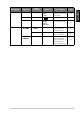
After pressing Menu/Set key the following options are available.
Then press 1 for General Setup Menu—OR—Press 2 for Copy Menu—OR—Press 3 for Printer
Menu.
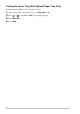
When you enter the Menu Mode, the machine displays a list of Level One Menus from which you
can choose. These menu options appear one after the other on the display. Select an option by
pressing Menu/Set when the option appears on the LCD.
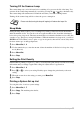
You can “scroll” more quickly through options by pressing . When the screen displays your
selection, press Menu/Set. (Use to scroll backward if you passed your choice or to save key
strokes. Both arrow keys show all options, in the opposite order.)
When you finish selection, the screen displays ACCEPTED.
* The factory setting (option) is shown in bold.
If you want to exit the Menu Mode, press Stop.
Main Menu