
Network User's Guide for Internet Fax
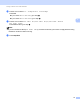
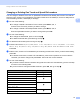
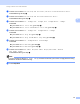

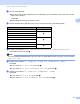

Table Of Contents
- NETWORK USER’S GUIDE
- Definitions of notes
- IMPORTANT NOTE
- Table of Contents
- 1 Internet fax
- 2 Storing numbers and E-mail addresses
- 3 Control panel setup
- E-mail/IFAX menu
- Function table and default factory settings
- Index

Storing numbers and E-mail addresses
23
2
l Press a or b to select Res: 200dpi or Res: 200x10 0dpi.
Press OK.
If you chose Email B&W PDF, go to step m.
If you chose Email B&W TIFF, go to step n.
m Press a or b to select PDF TYPE: PDF, PDF TYPE: PDF/A, PDF TYPE: SPDF or
PDF TYPE: SiPDF.
Press OK and then go to step n.
Note
If you choose Secure PDF (PDF TYPE: SPDF), the machine will ask you to enter a 4 digit password using
numbers 0-9 before it starts scanning.
n Press Stop/Exit.
Note
Fax broadcasting is for black & white only.