
Network User's Guide
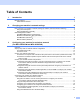
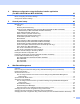



Table Of Contents
- NETWORK USER’S GUIDE
- Definitions of notes
- IMPORTANT NOTE
- Table of Contents
- 1 Introduction
- 2 Changing your machine’s network settings
- 3 Configuring your machine for a wireless network (For MFC-9560CDW and MFC-9970CDW)
- Overview
- Step by step chart for wireless network configuration
- Confirm your network environment
- Confirm your wireless network setup method
- Configuration using WPS or AOSS™ from the control panel menu to configure your machine for a wireless network (Automatic Wireless mode) (Infrastructure mode only) (Recommended)
- Configuration using the machine’s control panel Setup Wizard to configure your machine for a wireless network
- Configuration using the Brother installer application on the CD-ROM to configure your machine for a wireless network
- Configuration using the PIN Method of Wi-Fi Protected Setup to configure your machine for a wireless network (Infrastructure mode only)
- Configuring your machine for a wireless network (For Infrastructure mode and Ad-hoc mode)
- Using WPS or AOSS™ from the control panel menu to configure your machine for a wireless network (Automatic Wireless mode)
- Using the Setup Wizard from the control panel
- Configuring your machine when the SSID is not broadcast
- Configuring your machine for an enterprise wireless network
- Using the Brother installer application on the CD-ROM to configure your machine for a wireless network
- Using the PIN Method of Wi-Fi Protected Setup
- 4 Wireless configuration using the Brother installer application (For MFC-9560CDW and MFC-9970CDW)
- 5 Control panel setup
- Network menu
- TCP/IP
- Ethernet (wired network only)
- Status (For DCP-9055CDN, DCP-9270CDN, MFC-9460CDN and MFC-9465CDN)/Wired Status (For MFC-9560CDW and MFC-9970CDW)
- Setup Wizard (wireless network only)
- WPS or AOSS™ (wireless network only)
- WPS w/PIN Code (wireless network only)
- WLAN Status (wireless network only)
- MAC Address
- Set to Default (For MFC-9560CDW and MFC-9970CDW)
- Wired Enable (For MFC-9560CDW and MFC-9970CDW)
- WLAN Enable (For MFC-9560CDW and MFC-9970CDW)
- E-mail / IFAX (MFC-9970CDW and DCP-9270CDN (E-mail only))
- Fax to Server (For MFC-9970CDW)
- How to set a new default for Scan to FTP
- How to set a new default for Scan to Network
- Reset the network settings to the factory default
- Printing the Network Configuration List
- Printing the WLAN report (For MFC-9560CDW and MFC-9970CDW)
- Function table and default factory settings
- Network menu
- 6 Web Based Management
- Overview
- How to configure the machine settings using Web Based Management (web browser)
- Password information
- Secure Function Lock 2.0
- Synchronize with SNTP server
- Store Print Log to Network
- Changing the Scan to FTP configuration using a web browser
- Changing the Scan to Network configuration using a web browser
- Changing the LDAP configuration using a web browser (For DCP-9270CDN and MFC-9970CDW)
- 7 LDAP operation (For DCP-9270CDN and MFC-9970CDW)
- 8 Internet fax (For MFC-9970CDW)
- 9 Security features
- Overview
- Managing your network machine securely using SSL/TLS
- Printing documents securely using SSL/TLS
- Sending or Receiving an E-mail securely
- Using IEEE 802.1x authentication
- Secure Management using BRAdmin Professional 3 (Windows®)
- Using Certificates for device security
- Managing multiple certificates
- 10 Troubleshooting
- Appendix A
- Index
- Network Glossary
- Table of Contents
- 1 Types of network connections and protocols
- 2 Configuring your machine for a network
- 3 Wireless network terms and concepts
- 4 Additional network settings from Windows®
- 5 Security terms and concepts
- Appendix A
- Index

Introduction
2
1
1
Not available for DCP models.
2
BRAdmin Professional 3 and Web BRAdmin are available as a download from http://solutions.brother.com/.
3
Windows
®
7 only.
Other Network features 1
LDAP 1
The LDAP protocol allows you to search for information such as fax numbers and E-mail addresses from your
server. (See LDAP operation (For DCP-9270CDN and MFC-9970CDW) on page 87.)
Internet fax (MFC-9970CDW: standard, MFC-9460CDN, MFC-9465CDN and MFC-9560CDW:
available as a download) 1
Internet fax (IFAX) allows you to send and receive fax documents using the Internet as the transport
mechanism. (See Internet fax (For MFC-9970CDW) on page 89.)
(For MFC-9460CDN, MFC-9465CDN and MFC-9560CDW)
In order to use this function, please download the necessary firmware from the “Downloads” page for your
model on the Brother Solutions Center at http://solutions.brother.com/
. Before using this function, you have
to configure the necessary machine settings by using the machine’s control panel. For details, please refer
to the user’s guide for Internet fax on the web site listed above.
Security 1
Your Brother machine employs some of the latest network security and encryption protocols available. (See
Security features on page 98.)
Fax to Server (MFC-9970CDW: standard, MFC-9460CDN, MFC-9465CDN and MFC-9560CDW:
available as a download) 1
The Fax to Server feature allows the machine to scan a document and send it over the network to a separate
fax server. (See Fax to Server (For MFC-9970CDW) on page 48.)
(For MFC-9460CDN, MFC-9465CDN and MFC-9560CDW)
In order to use this function, please download the necessary firmware from the “Downloads” page for your
model on the Brother Solutions Center at http://solutions.brother.com/
. Before using this function, you have
to configure the necessary machine settings by using the machine’s control panel. For details, please refer
to the user’s guide for Internet fax on the web site listed above.
Vertical Pairing
See Network Glossary.
r
3
Operating Systems
Windows
®
2000/XP
Windows Vista
®
Windows
®
7
Windows Server
®
2003/2008
Mac OS X 10.4.11 -
10.6.x