
Basic User's Guide
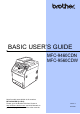




Table Of Contents
- BASIC USER’S GUIDE MFC-9460CDN/ MFC-9560CDW
- Brother numbers
- Ordering accessories and supplies
- Notice - Disclaimer of Warranties (USA and Canada)
- Compilation and Publication Notice
- Brother™ Color Laser One-Year On-Site Limited Warranty (USA only)
- BROTHER LASER PRINTER / MULTIFUNCTION CENTER® / FAXON-SITE LIMITED WARRANTY (Canada Only)
- User's Guides and where do I find it?
- Table of Contents
- 1 General information
- 2 Loading paper
- Loading paper and print media
- Paper settings
- Acceptable paper and other print media
- 3 Loading documents
- 4 Sending a fax
- 5 Receiving a fax
- 6 Telephone services and external devices
- 7 Dialing and storing numbers
- 8 Making copies
- 9 Printing data from a USB Flash memory drive or digital camera supporting mass storage
- 10 How to print from a computer
- 11 How to scan to a computer
- A Routine maintenance
- B Troubleshooting
- Error and maintenance messages
- Document Jams and Paper Jams
- Document is jammed in the top of the ADF unit
- Document is jammed under the document cover
- Removing small documents jammed in the ADF
- Document is jammed at the output tray
- Paper is jammed in the MP tray
- Paper is jammed in paper tray 1 or tray 2
- Paper is jammed at the back of the machine
- Paper is jammed inside the machine
- Paper is jammed underneath paper tray 1
- If you are having difficulty with your machine
- Improving the print quality
- Machine Information
- C Menu and features
- D Specifications
- Index
- brother USA/CAN

If you need to call Customer Service
Please complete the following information for future
reference:
Model Number: MFC-9460CDN and MFC-9560CDW
(Circle your model number)
Serial Number:
1
Date of Purchase:
Place of Purchase:
1
The serial number is on the back of the unit. Retain
this User’s Guide with your sales receipt as a
permanent record of your purchase, in the event of
theft, fire or warranty service.
Register your product on-line at
http://www.brother.com/registration/
By registering your product with Brother, you will be recorded as the
original owner of the product. Your registration with Brother:
may serve as confirmation of the purchase date of your product
should you lose your receipt;
may support an insurance claim by you in the event of product loss
covered by insurance; and,
will help us notify you of enhancements to your product and special
offers.
The most convenient and efficient way to register your new product is
online at http://www.brother.com/registration/
.
© 2010 Brother Industries, Ltd.