
User`s guide

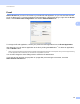

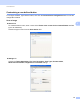


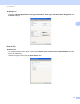
Table Of Contents
- SOFTWARE USER'S GUIDE
- Trademarks
- Table of Contents
- Windows®
- 1 Printing
- Using the Brother printer driver
- Printing a document
- Duplex printing
- Simultaneous scanning, printing and faxing
- Printer operation keys
- Status Monitor
- Printer driver settings
- Features in the Windows® printer driver
- Basic tab
- Advanced tab
- Tray Settings tab
- Support
- Features in the BR-Script (PostScript® 3™ language emulation) printer driver
- 2 Scanning
- Scanning a document using the TWAIN driver
- Scanning a document using the WIA driver (Windows® XP/Windows Vista®/Windows® 7)
- Scanning a document using the WIA driver (Windows Photo Gallery and Windows Fax and Scan)
- Using ScanSoft™ PaperPort™ 11SE with OCR by NUANCE™
- 3 ControlCenter3
- 4 Remote Setup
- 5 Brother PC-FAX Software
- 6 Firewall settings (For Network users)
- 1 Printing
- Apple Macintosh
- 7 Printing and Faxing
- 8 Scanning
- 9 ControlCenter2
- 10 Remote Setup
- Using The Scan key
- Index

ControlCenter3
66
3
File 3
The Scan to File button lets you scan an image to a folder on your hard disk in one of the file types shown
in the file attachment list. To configure the file type, folder and file name, right-click the File button, click
ControlCenter Configuration and click the Software Button tab.
You can change the File Name. Enter the file name you want to use for the document (up to 100 characters)
in the File Name box. File name will be the file name you registered, current date and sequential number.
Choose the file type for the saved image from the File Type drop-down list. You can save the file to the default
folder shown in the Destination Folder, or choose your preferred folder by clicking the icon.
To display where the scanned image is saved when scanning is finished, check the Show Folder box. To let
you specify the destination of the scanned image every time you scan, check the Show Save As Window
box.
If you want to scan and then crop a portion of a page after pre-scanning the document, check the
Show Scanner Interface box.