
User`s guide
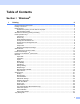
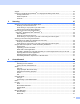


Table Of Contents
- SOFTWARE USER'S GUIDE
- Trademarks
- Table of Contents
- Windows®
- 1 Printing
- Using the Brother printer driver
- Printing a document
- Duplex printing
- Simultaneous scanning, printing and faxing
- Printer operation keys
- Status Monitor
- Printer driver settings
- Features in the Windows® printer driver
- Basic tab
- Advanced tab
- Tray Settings tab
- Support
- Features in the BR-Script (PostScript® 3™ language emulation) printer driver
- 2 Scanning
- Scanning a document using the TWAIN driver
- Scanning a document using the WIA driver (Windows® XP/Windows Vista®/Windows® 7)
- Scanning a document using the WIA driver (Windows Photo Gallery and Windows Fax and Scan)
- Using ScanSoft™ PaperPort™ 11SE with OCR by NUANCE™
- 3 ControlCenter3
- 4 Remote Setup
- 5 Brother PC-FAX Software
- 6 Firewall settings (For Network users)
- 1 Printing
- Apple Macintosh
- 7 Printing and Faxing
- 8 Scanning
- 9 ControlCenter2
- 10 Remote Setup
- Using The Scan key
- Index

vi
Features ..........................................................................................................................................166
System requirements for Presto! PageManager .............................................................................166
NewSoft Technical Support .............................................................................................................167
9 ControlCenter2 168
Using ControlCenter2 ............................................................................................................................168
Turning the AutoLoad feature off.....................................................................................................169
SCAN.....................................................................................................................................................170
File types .........................................................................................................................................171
Document Size ................................................................................................................................171
Image
(example: Apple Preview)............................................................................................................171
OCR
(word processing application)......................................................................................................173
E-mail ..............................................................................................................................................174
File...................................................................................................................................................175
CUSTOM SCAN ....................................................................................................................................176
File types .........................................................................................................................................177
Document Size ................................................................................................................................177
User-defined button .........................................................................................................................177
Scan to Image .................................................................................................................................178
Scan to OCR ...................................................................................................................................179
Scan to E-mail .................................................................................................................................180
Scan to File......................................................................................................................................181
COPY / PC-FAX ....................................................................................................................................182
DEVICE SETTINGS ..............................................................................................................................184
Remote Setup..................................................................................................................................184
Quick-Dial ........................................................................................................................................185
Status Monitor .................................................................................................................................185
10 Remote Setup 186
Remote Setup........................................................................................................................................186