
User`s guide
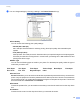

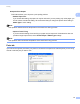




Table Of Contents
- SOFTWARE USER'S GUIDE
- Trademarks
- Table of Contents
- Windows®
- 1 Printing
- Using the Brother printer driver
- Printing a document
- Duplex printing
- Simultaneous scanning, printing and faxing
- Printer operation keys
- Status Monitor
- Printer driver settings
- Features in the Windows® printer driver
- Basic tab
- Advanced tab
- Tray Settings tab
- Support
- Features in the BR-Script (PostScript® 3™ language emulation) printer driver
- 2 Scanning
- Scanning a document using the TWAIN driver
- Scanning a document using the WIA driver (Windows® XP/Windows Vista®/Windows® 7)
- Scanning a document using the WIA driver (Windows Photo Gallery and Windows Fax and Scan)
- Using ScanSoft™ PaperPort™ 11SE with OCR by NUANCE™
- 3 ControlCenter3
- 4 Remote Setup
- 5 Brother PC-FAX Software
- 6 Firewall settings (For Network users)
- 1 Printing
- Apple Macintosh
- 7 Printing and Faxing
- 8 Scanning
- 9 ControlCenter2
- 10 Remote Setup
- Using The Scan key
- Index

Scanning
42
2
Contrast 2
You can increase or decrease the Contrast level by moving the slide bar to the left or right. An increase
emphasizes dark and light areas of the image, while a decrease reveals more detail in gray areas. You can
also enter a value in the box to set the Contrast.
Note
The Contrast setting is only available when Gray (Error Diffusion) or True Gray is chosen.
When scanning photographs or other images for use in a word processor or other graphics application, try
different settings for the contrast and resolution to see which setting best suits your needs.
Document Size 2
Choose one of the following sizes:
A48.3x11.7in(210x297mm)
JIS B5 7.2 x 10.1 in (182 x 257 mm)
Letter 8 1/2 x 11 in (215.9 x 279.4 mm)
Legal 8 1/2 x 14 in (215.9 x 355.6 mm) (It is available with the ADF.)
A5 5.8 x 8.3 in (148 x 210 mm)
Executive 7 1/4 x 10 1/2 in (184.1 x 266.7 mm)
Business Card 3.5 x 2.4 in (90 x 60 mm)
To scan business cards, choose the Business Card size, and then place the business card face down at
the top left of the scanner glass, as indicated by the document guidelines on the machine.
Photo4x6in(10x15cm)
Index Card 5 x 8 in (127 x 203.2 mm)
PhotoL3.5x5in(89x127mm)
Photo2L5x7in(13x18cm)
Postcard 1 3.9 x 5.8 in (100 x 148 mm)
Postcard 2 (Double) 5.8 x 7.9 in (148 x 200 mm)