
User`s guide

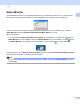
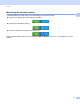
Table Of Contents
- SOFTWARE USER'S GUIDE
- Trademarks
- Table of Contents
- Windows®
- 1 Printing
- Using the Brother printer driver
- Printing a document
- Duplex printing
- Simultaneous scanning, printing and faxing
- Printer operation keys
- Status Monitor
- Printer driver settings
- Features in the Windows® printer driver
- Basic tab
- Advanced tab
- Tray Settings tab
- Support
- Features in the BR-Script (PostScript® 3™ language emulation) printer driver
- 2 Scanning
- Scanning a document using the TWAIN driver
- Scanning a document using the WIA driver (Windows® XP/Windows Vista®/Windows® 7)
- Scanning a document using the WIA driver (Windows Photo Gallery and Windows Fax and Scan)
- Using ScanSoft™ PaperPort™ 11SE with OCR by NUANCE™
- 3 ControlCenter3
- 4 Remote Setup
- 5 Brother PC-FAX Software
- 6 Firewall settings (For Network users)
- 1 Printing
- Apple Macintosh
- 7 Printing and Faxing
- 8 Scanning
- 9 ControlCenter2
- 10 Remote Setup
- Using The Scan key
- Index

Printing
12
1
Printer driver settings 1
Note
(Macintosh) See Printing and Faxing on page 115.
You can change the following printer settings when you print from your computer.
Paper Size
Orientation
Copies
Media Type
Print Quality
Color/Mono
Multiple Page
Manual Duplex / Booklet
1
Paper Source
Scaling
Reverse Print
Use Watermark
1
Header-Footer Print
1
Toner Save Mode
Secure Print
Administrator
1
User Authentication
1
Color Calibration
1
Improve Print Output
1
These settings are not available with the BR Script printer driver for Windows
®
.