
User`s guide



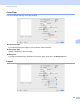

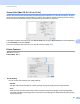
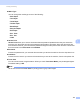
Table Of Contents
- SOFTWARE USER'S GUIDE
- Trademarks
- Table of Contents
- Windows®
- 1 Printing
- Using the Brother printer driver
- Printing a document
- Duplex printing
- Simultaneous scanning, printing and faxing
- Printer operation keys
- Status Monitor
- Printer driver settings
- Features in the Windows® printer driver
- Basic tab
- Advanced tab
- Tray Settings tab
- Support
- Features in the BR-Script (PostScript® 3™ language emulation) printer driver
- 2 Scanning
- Scanning a document using the TWAIN driver
- Scanning a document using the WIA driver (Windows® XP/Windows Vista®/Windows® 7)
- Scanning a document using the WIA driver (Windows Photo Gallery and Windows Fax and Scan)
- Using ScanSoft™ PaperPort™ 11SE with OCR by NUANCE™
- 3 ControlCenter3
- 4 Remote Setup
- 5 Brother PC-FAX Software
- 6 Firewall settings (For Network users)
- 1 Printing
- Apple Macintosh
- 7 Printing and Faxing
- 8 Scanning
- 9 ControlCenter2
- 10 Remote Setup
- Using The Scan key
- Index

Printing and Faxing
140
7
Pages per Sheet
Choose how many pages will appear on each side of the paper.
Layout Direction
When you specify the pages per sheet, you can also specify the direction of the layout.
Border
If you want to add a border, use this function.
Reverse Page Orientation (Mac OS X 10.5.x to 10.6.x)
Check Reverse Page Orientation to reverse the data from up to down.
Flip horizontally (Mac OS X 10.6.x)
Check Flip horizontally to print as a reflection flipped left-to-right.
Duplex Printing 7
Manual duplex
Select Paper Handling.
(Mac OS X 10.4.11)
Choose Even numbered pages and print, and then choose Odd numbered pages and print.
(Mac OS X 10.5.x to 10.6.x)
Choose Even Only and print, and then choose Odd Only and print.