
User Manual




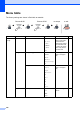
Table Of Contents
- USER’S GUIDE MFC-9120CN MFC-9320CW
- Approval Information and Compilation and Publication Notice
- Table of Contents
- Section I: General
- Section II: Fax
- Sending a fax
- How to fax
- Broadcasting (black & white only)
- Additional sending operations
- Sending faxes using multiple settings
- Electronic cover page (black & white only)
- Contrast
- Changing Fax Resolution
- Dual access (black & white only)
- Real Time Transmission
- Overseas Mode
- Delayed Fax (black & white only)
- Delayed batch transmission (black & white only)
- Checking and cancelling waiting jobs
- Sending a fax manually
- Out of memory message
- Receiving a fax
- Telephone and external devices
- Dialling and storing numbers
- Remote Fax Options (black & white only)
- Polling
- Printing reports
- Sending a fax
- Section III: Copy
- Section IV: Direct printing
- Section V: Software
- Section VI: Appendixes
- Index
- brother CHN_ENG

190
Menu table D
The factory settings are shown in Bold with an asterisk.
Choose & OK Choose & OK to accept to exit
Main Menu Submenu Menu Selections Options Descriptions Page
1.General
Setup
1.Mode Timer — 0 Sec
30 Secs
1 Min
2 Mins*
5 Mins
Off
Sets the time to
return to Fax mode
and the time the
machine will change
from individual user
to public user mode
when using Secure
Function Lock.
24
2.Paper 1.Paper Type Thin
Plain*
Thick
Thicker
Recycled Pap
er
Sets the type of
paper in the paper
tray.
24
2.Paper Size A4*
Letter
Legal
Executive
A5
A5 L
A6
B5
B6
Folio
Sets the size of the
paper in the paper
tray.
24
3.Volume 1.Ring Off
Low
Med*
High
Adjusts the ring
volume.
25