
User Manual


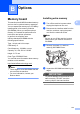

Table Of Contents
- USER’S GUIDE MFC-9120CN MFC-9320CW
- Approval Information and Compilation and Publication Notice
- Table of Contents
- Section I: General
- Section II: Fax
- Sending a fax
- How to fax
- Broadcasting (black & white only)
- Additional sending operations
- Sending faxes using multiple settings
- Electronic cover page (black & white only)
- Contrast
- Changing Fax Resolution
- Dual access (black & white only)
- Real Time Transmission
- Overseas Mode
- Delayed Fax (black & white only)
- Delayed batch transmission (black & white only)
- Checking and cancelling waiting jobs
- Sending a fax manually
- Out of memory message
- Receiving a fax
- Telephone and external devices
- Dialling and storing numbers
- Remote Fax Options (black & white only)
- Polling
- Printing reports
- Sending a fax
- Section III: Copy
- Section IV: Direct printing
- Section V: Software
- Section VI: Appendixes
- Index
- brother CHN_ENG

118
e Hold the SO-DIMM by the edges and
align the notches in the SO-DIMM with
the protrusions in the slot. Insert the
SO-DIMM diagonally (1), then tilt it
toward the interface board until it clicks
into place (2).
f Put the metal (2) and then the plastic (1)
SO-DIMM covers back on.
g Plug the machine’s power cord back into
the electrical socket first, and then
connect the interface cable.
h Plug in the telephone line cord. Turn on
the machine’s power switch.
Note
To make sure that you have installed the
SO-DIMM correctly, you can print the user
settings page that shows the current
memory size. (See How to print a report
on page 78)
12
1
2