
User Manual
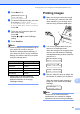




Table Of Contents
- USER’S GUIDE MFC-9120CN MFC-9320CW
- Approval Information and Compilation and Publication Notice
- Table of Contents
- Section I: General
- Section II: Fax
- Sending a fax
- How to fax
- Broadcasting (black & white only)
- Additional sending operations
- Sending faxes using multiple settings
- Electronic cover page (black & white only)
- Contrast
- Changing Fax Resolution
- Dual access (black & white only)
- Real Time Transmission
- Overseas Mode
- Delayed Fax (black & white only)
- Delayed batch transmission (black & white only)
- Checking and cancelling waiting jobs
- Sending a fax manually
- Out of memory message
- Receiving a fax
- Telephone and external devices
- Dialling and storing numbers
- Remote Fax Options (black & white only)
- Polling
- Printing reports
- Sending a fax
- Section III: Copy
- Section IV: Direct printing
- Section V: Software
- Section VI: Appendixes
- Index
- brother CHN_ENG

Printing data from a USB Flash memory drive (MFC-9320CW only)
99
14
h Press the dial pad key to enter the
number of copies you want.
Press OK.
Copies
=1
i Press Mono Start or Color Start to
print the data.
IMPORTANT
DO NOT remove the USB flash memory
from the USB direct interface until the
printer has finished printing.
Understanding the
error messages 14
Once you are familiar with the types of errors
that can occur while you print data from the
USB Flash memory drive with Direct Print,
you can easily identify and troubleshoot any
problems.
Out of Memory
This message will appear if you are
working with images that are too large for
the machine’s memory.
Unusable Device
This message will appear if you connect
an incompatible or broken device to the
USB direct interface. To clear the error,
unplug the device from the USB direct
interface.
(See Error and maintenance messages
on page 137 for the detailed solution.)