
User Manual
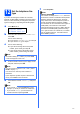
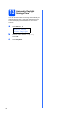
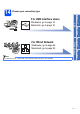
Table Of Contents
- Quick Setup Guide MFC-9120CN
- Start Here
- 1 Unpack the machine and check the components
- 2 Remove the packing material from the machine
- 3 Install the drum unit and toner cartridge assemblies
- 4 Load paper in the paper tray
- 5 Connect the power cord and telephone line
- 6 Choose a Receive Mode
- 7 Set the LCD contrast (if needed)
- 8 Set the date and time
- 9 Enter personal information (station ID)
- 10 Fax Transmission Report
- 11 Set tone or pulse dialling mode
- 12 Set the telephone line type
- 13 Automatic Daylight Savings Time
- 14 Choose your connection type
- For USB Interface Users (Windows® 2000 Professional/XP/XP Professional x64 Edition/ Windows Vista®)
- For USB Interface Users (Mac OS X 10.3.9 or greater)
- For Wired Network Interface Users (Windows® 2000 Professional/XP/XP Professional x64 Edition/ Windows Vista®)
- For Wired Network Interface Users (Mac OS X 10.3.9 or greater)
- For Network Users
- Options and Consumables
- brother SAF/GLF
- Start Here

11
12
Set the telephone line
type
If you are connecting the machine to a line that
features a PABX (PBX) or ISDN to send and receive
faxes, it is also necessary to change the phone line
type accordingly by completing the following steps.
a Press Menu, 0, 6.
Initial Setup
6.Phone Line Set
b Press a or b to choose PBX, ISDN or Normal.
Press OK.
Do one of the following:
If you choose ISDN or Normal, go to step f.
If you choose PBX, go to step c.
c Do one of the following:
If you want to change the current prefix
number, press 1 and go to step d.
If you do not want to change the current
prefix number, press 2 and go to step f.
d Enter the Prefix number (up to 5 digits) on the
dial pad, and then press OK.
e Press a or b to choose On or Always and press
OK.
f Press Stop/Exit.
Note
The default setting is “!”. When you press Tel/R,
“!” will be displayed on the LCD.
Note
You can use the number 0 to 9, #,
l
and !. (Press
Tel/R to display “!”.)
You cannot use ! with any other numbers or
characters.
If your telephone system requires a timed break
recall, press Tel/R to enter the break.
Note
• If you choose On, pressing Tel/R (the screen
displays “!”) will let you access an outside line.
• If you choose Always, you can access an
outside line without pressing Tel/R.
Note
PBX and TRANSFER
The machine is initially set to Normal, which lets
the machine connect to a standard PSTN (Public
Switched Telephone Network) line. However,
many offices use a central telephone system or
Private Automatic Branch Exchange (PABX).
Your machine can be connected to most types of
PABX (PBX). The machine’s recall feature
supports timed break recall only (TBR). TBR will
work with most PABX (PBX) systems allowing
you to gain access to an outside line, or transfer
calls to another extension. The feature works
when Tel/R is pressed.