
User Manual
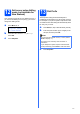
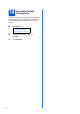
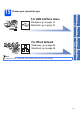
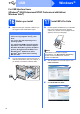

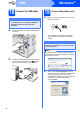
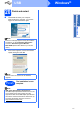
Table Of Contents
- Quick Setup Guide MFC-9120CN
- Start Here
- 1 Unpack the machine and check the components
- 2 Remove the packing material from the machine
- 3 Install the drum unit and toner cartridge assemblies
- 4 Load paper in the paper tray
- 5 Connect the power cord and telephone line
- 6 Set your country (for Australia/New Zealand customer only)
- 7 Choose a Receive Mode
- 8 Set the LCD contrast (if needed)
- 9 Set the date and time
- 10 Enter personal information (station ID)
- 11 Fax Transmission Report
- 12 Set tone or pulse dialling mode (not available for New Zealand)
- 13 Dial Prefix
- 14 Automatic Daylight Savings Time
- 15 Choose your connection type
- For USB Interface Users (Windows® 2000 Professional/XP/XP Professional x64 Edition/ Windows Vista®)
- For USB Interface Users (Mac OS X 10.3.9 or greater)
- For Wired Network Interface Users (Windows® 2000 Professional/XP/XP Professional x64 Edition/ Windows Vista®)
- For Wired Network Interface Users (Mac OS X 10.3.9 or greater)
- For Network Users
- Options and Consumables
- brother ARL/ASA/NZ
- Start Here

20
Windows
®
Wired Network
For Wired Network Interface Users
(Windows
®
2000 Professional/XP/XP Professional x64 Edition/
Windows Vista
®
)
16
Before you install
a Make sure that your computer is ON and you
are logged on with Administrator rights.
b Unplug the machine from the AC outlet.
17
Connect the network
cable
a Connect the network interface cable to the LAN
connector marked with a symbol and then
connect it to a free port on your hub.
18
Connect the power cord
a Plug the AC power cord into an AC outlet. Turn
the power switch on.
IMPORTANT
• If there are any programs running, close
them.
• The screens may differ depending on the
operating system.
• The supplied CD-ROM includes ScanSoft™
PaperPort™ 11SE. This software supports
Windows
®
2000 (SP4 or greater), XP (SP2 or
greater), XP Professional x64 Edition and
Windows Vista
®
. Update to the latest
Windows
®
Service Pack before installing
MFL-Pro Suite.
IMPORTANT
Disable all personal firewall
software (other than Windows
®
Firewall), anti-spyware or
antivirus applications for the
duration of the installation.